
Automation
Workflow Automation That Runs Your Training Admin
SimpliTrain lets you automate training operations end to end, from enrollment triggers and reminder notifications to attendance recording and certificate issuance. Every step in your training workflow can run on a defined rule, so your team focuses on program quality instead of manual follow-up.

Auto-Enroll Learners the Moment a Trigger Fires
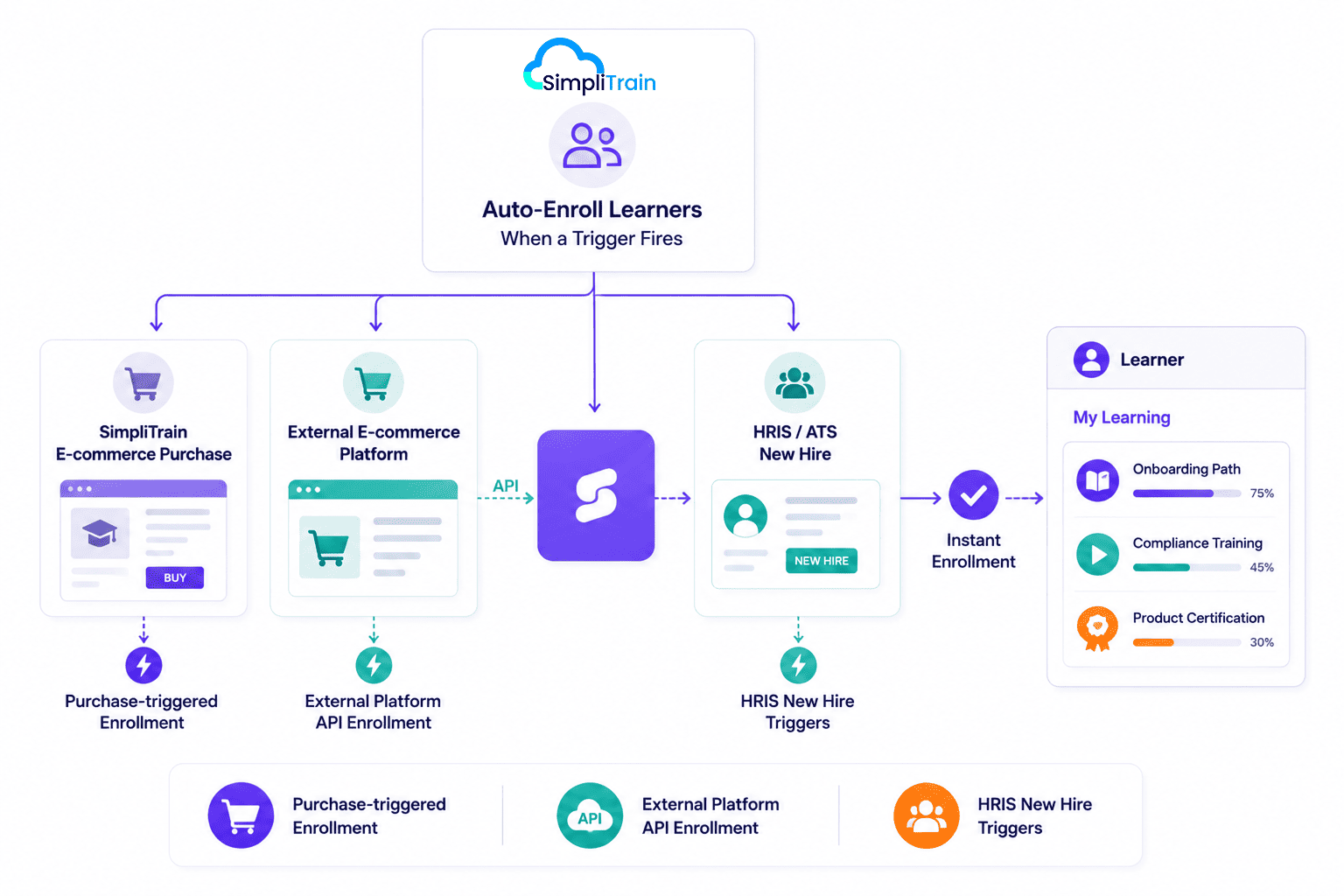
SimpliTrain supports automatic enrollment triggered by a defined event, removing the manual step of individually adding learners to a class or learning path. When a learner completes an e-commerce purchase on SimpliTrain, they are enrolled in the relevant course or class instantly without any admin action.
The same auto-enrollment logic applies to purchases made on external e-commerce platforms connected to SimpliTrain via API. For enterprise L&D teams onboarding hundreds of new hires at once, this means a new hire record in your HRIS can trigger enrollment into the full onboarding path on day one. This makes onboarding part of a connected employee training program rather than a manual admin task.
- Purchase-triggered enrollment
- External platform API enrollment
- HRIS new hire triggers
Automate the Full Training Workflow From Class to Certificate
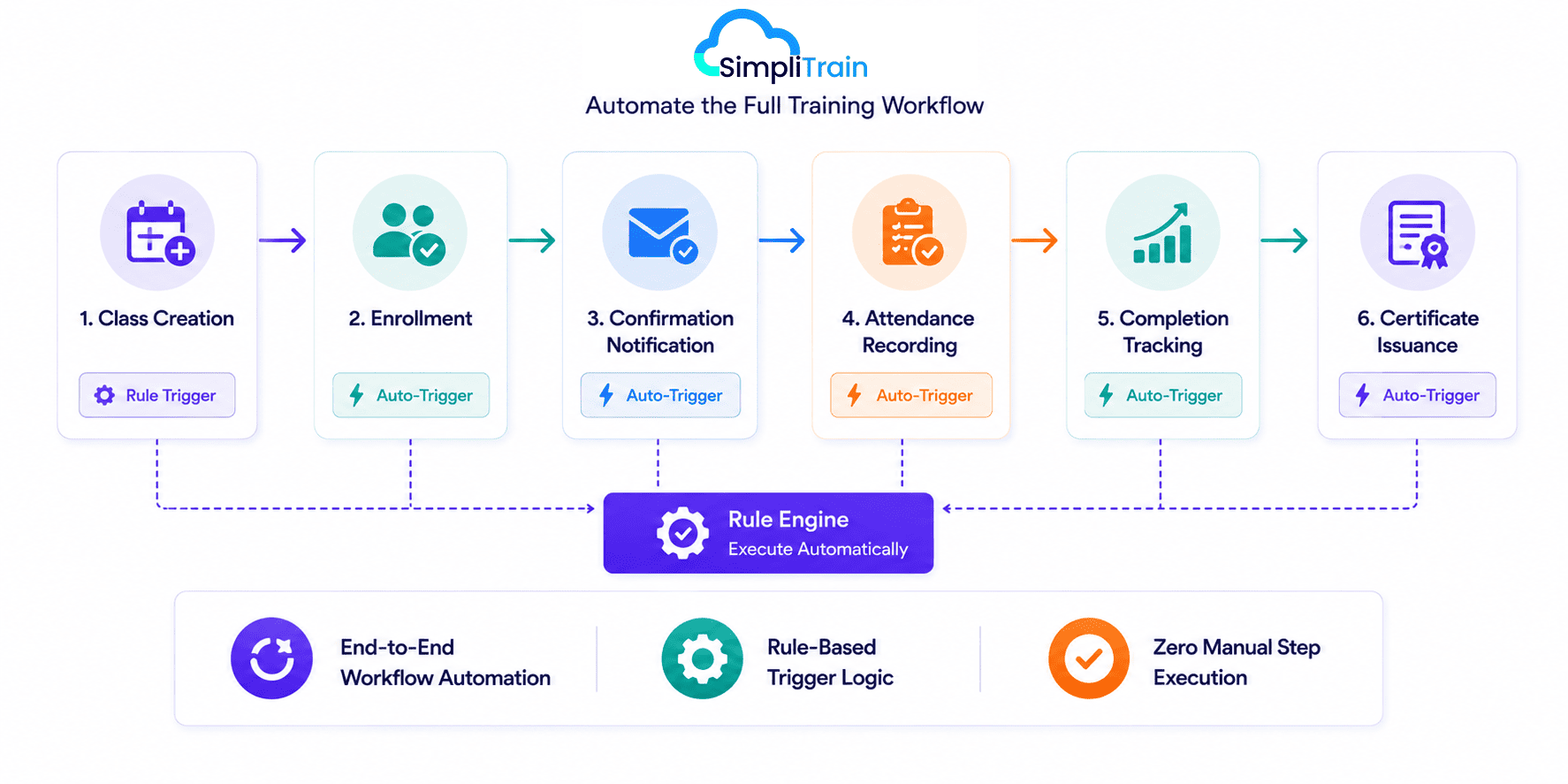
SimpliTrain’s automation covers every stage of the training lifecycle in sequence. Class creation connects to enrollment, enrollment triggers a confirmation notification, attendance recording connects to completion tracking, and completion triggers certificate issuance, all without manual intervention at each step.
You define the rules once, and the platform executes them consistently for every learner who moves through the program. This end-to-end automation model is what makes SimpliTrain a viable training management system for L&D teams managing thousands of active learners across multiple development programs for employees.
- End-to-end workflow automation
- Rule-based trigger logic
- Zero manual step execution
Send Automated Reminders Before Deadlines and Classes
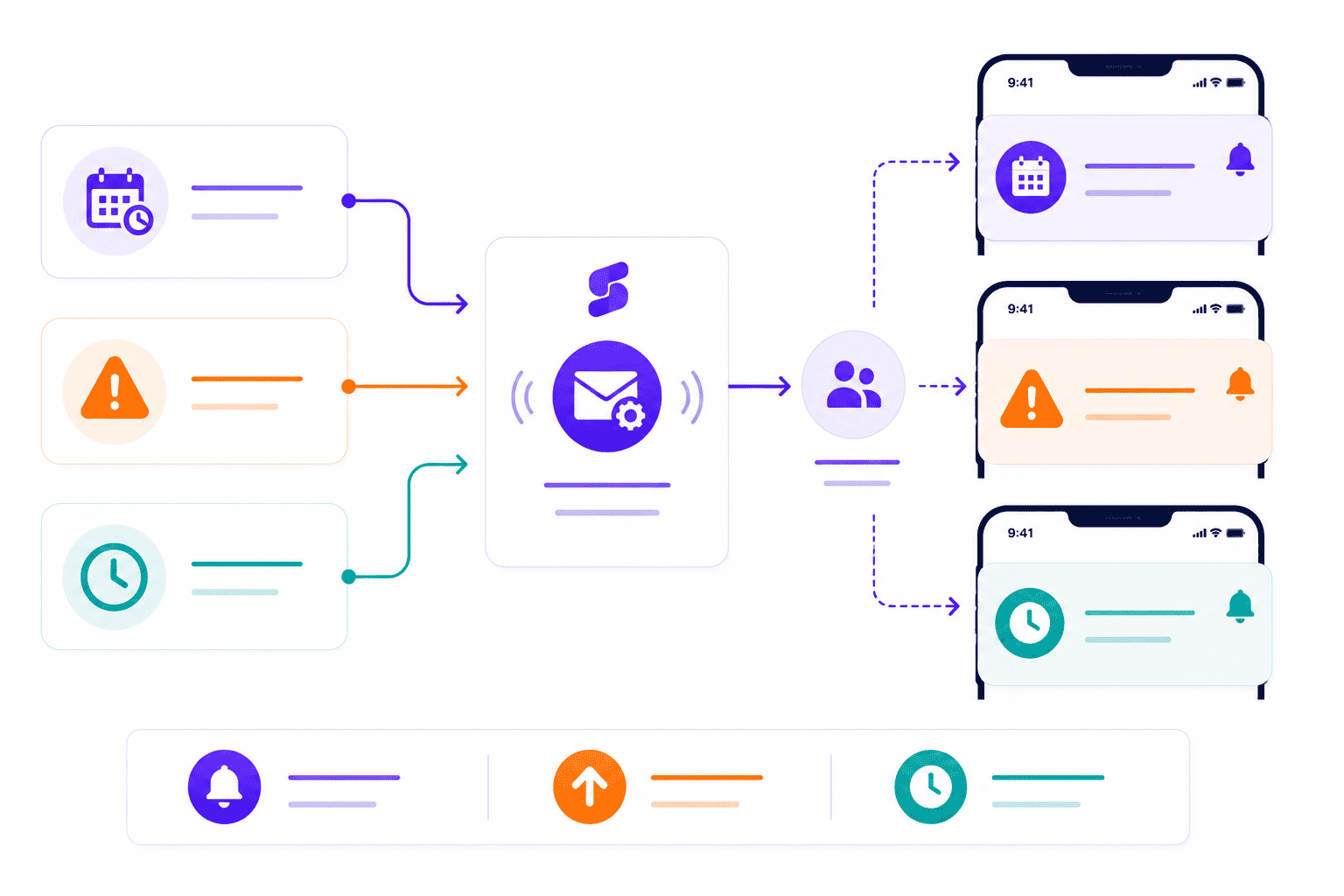
SimpliTrain can send automated reminder notifications at defined intervals before a class session or a completion deadline. A learner who has not attended a session receives a prompt. A learner approaching an overdue date receives an escalation.
These reminders run on rule-based triggers, removing one of the most time-consuming daily tasks in training administration, and helping teams meet training KPIs on completion and attendance.
- Pre-class reminder triggers
- Overdue learner escalation
- Deadline-based notifications
Issue Certificates Automatically When Learners Qualify
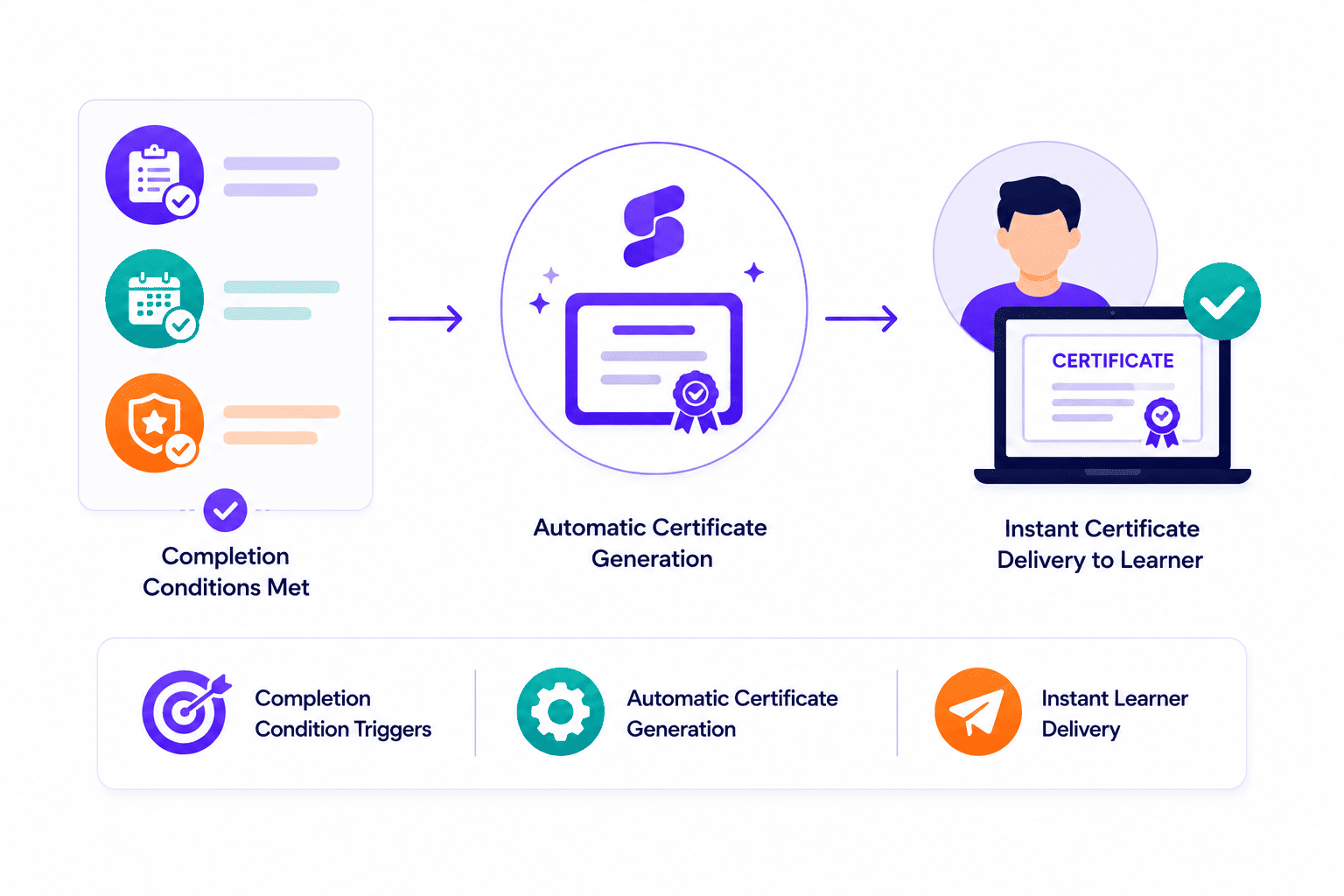
SimpliTrain generates and issues certificates automatically when a learner meets the completion conditions you have defined for a course or learning path. There is no manual certificate step for your admin team.
The learner receives their certificate the moment they qualify, whether that is after a final assessment score, full session attendance, or both conditions together.
- Completion condition triggers
- Automatic certificate generation
- Instant learner delivery
Connect SimpliTrain Automations to Your Existing Business Systems
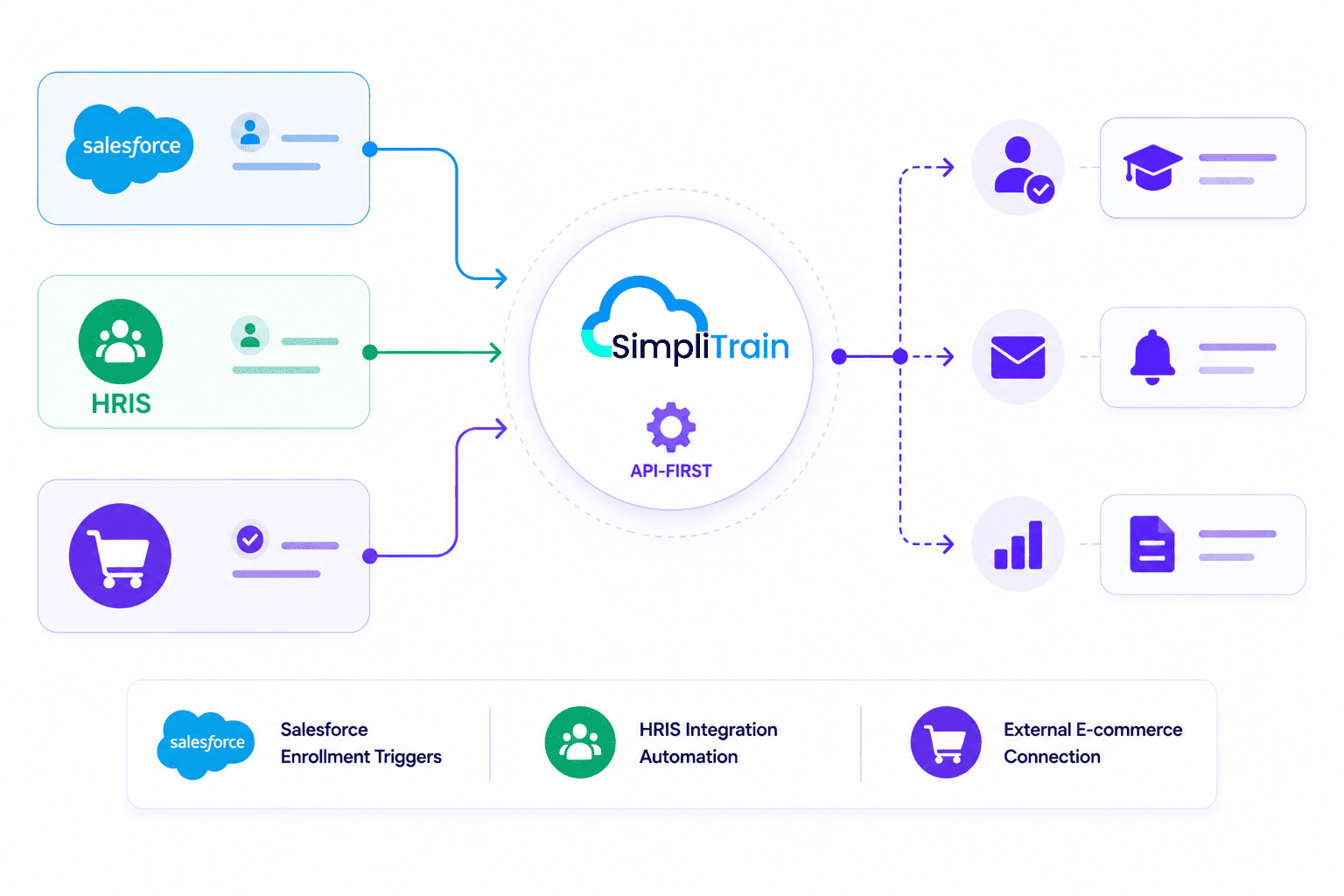
SimpliTrain’s API-first architecture means automation triggers are not limited to actions inside the platform. An enrollment can be triggered by a record created in Salesforce, a new hire added in your HRIS, or a transaction completed on an external e-commerce system.
This makes SimpliTrain a connected automation layer across your training and business operations, not a standalone system that requires manual data entry at every boundary. For organizations integrating training into a broader employee lifecycle workflow, this connectivity removes the data gaps that typically cause enrollment delays and compliance failures.
- Salesforce enrollment triggers
- HRIS integration automation
- External e-commerce connection
Automate Your Training Operations in
SimpliTrain Today!
Frequently Asked Questions
1. How do I set up automated enrollment in SimpliTrain?
You configure an enrollment automation rule in SimpliTrain by selecting a trigger event such as a course purchase or an API signal from an external system, then mapping it to the course or learning path the learner should be enrolled in. The rule runs automatically for every learner who meets the trigger condition going forward.
2. What training formats does workflow automation support in SimpliTrain?
SimpliTrain’s automation rules apply to self-paced SCORM courses, instructor-led training, virtual instructor-led training, blended training solutions, and multi-session programs.
3. Can SimpliTrain connect to external systems like Salesforce or Workday for automation?
Yes, SimpliTrain supports API-based connections to external platforms including CRM and HRIS systems. Enrollment triggers can be fired from external events such as a new hire record in Workday or a completed transaction in Salesforce. Visit simplitrain.com/integrations for the current list of supported connections.
4. How does the certificate issuance automation work in SimpliTrain?
You define completion conditions for each course or learning path, such as a minimum assessment score or confirmed attendance across all sessions. When a learner meets all conditions, SimpliTrain issues the certificate automatically and delivers it to the learner’s dashboard without any manual step from your admin team.
5. Is workflow automation included in all SimpliTrain plans?
SimpliTrain uses flat-rate pricing based on admin users with no per-automation or per-trigger fee. Core automation features including auto-enrollment, reminder notifications, and certificate issuance are part of the platform. Visit simplitrain.com/pricing for the full plan breakdown.
6. Do learners receive any notification when they are auto-enrolled into a course?
Yes, SimpliTrain sends an enrollment confirmation notification to the learner as part of the automated workflow. They receive access details and any relevant session information immediately after enrollment, without needing to contact an admin to confirm their place in the program.
7. Is automation data and trigger history stored securely in SimpliTrain?
All automation activity logs, trigger records, and enrollment events in SimpliTrain are stored with role-based access controls. Admins can review automation history within their permission scope. Contact SimpliTrain for details on data retention policies and security certifications relevant to your organisation.
