
Multi-Location Operations
Multi-Location Operations Built for Every Office and Site
SimpliTrain gives enterprise and multi-site organizations a single training management system for managing training across every location, department, and business unit from one central login. Whether you run two offices or fifty plants across ten countries, each location gets its own branded space, its own admin, and its own data, all connected to the same platform.

One Platform Structure for Every Site and Department
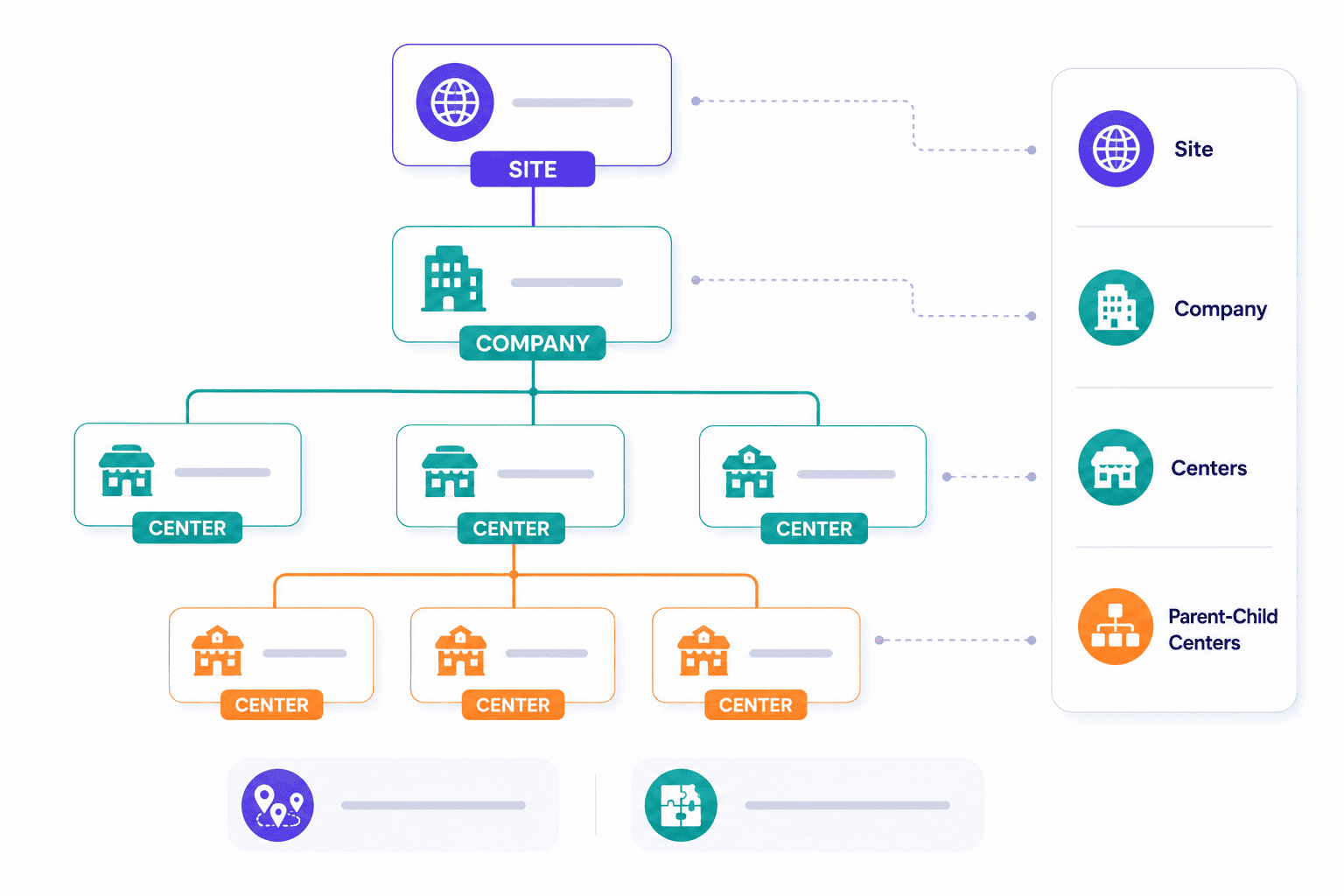
SimpliTrain organises your organisation using a three-level hierarchy: Site, Company, and Centers. Each center can represent a physical location such as a branch, plant, or dealership, or a logical division such as a department or business unit. Parent-child center relationships are supported, so a regional headquarters can sit above individual city offices in the same hierarchy.
This structure gives you a single data model across your entire organisation without forcing every location into a flat, undifferentiated list. For organizations running operational training or compliance programs across sites, this hierarchy keeps program governance clean and auditable.
- Site, Company, Centers hierarchy
- Parent-child center support
- Physical and logical divisions
Give Each Location Its Own Branded Training Space
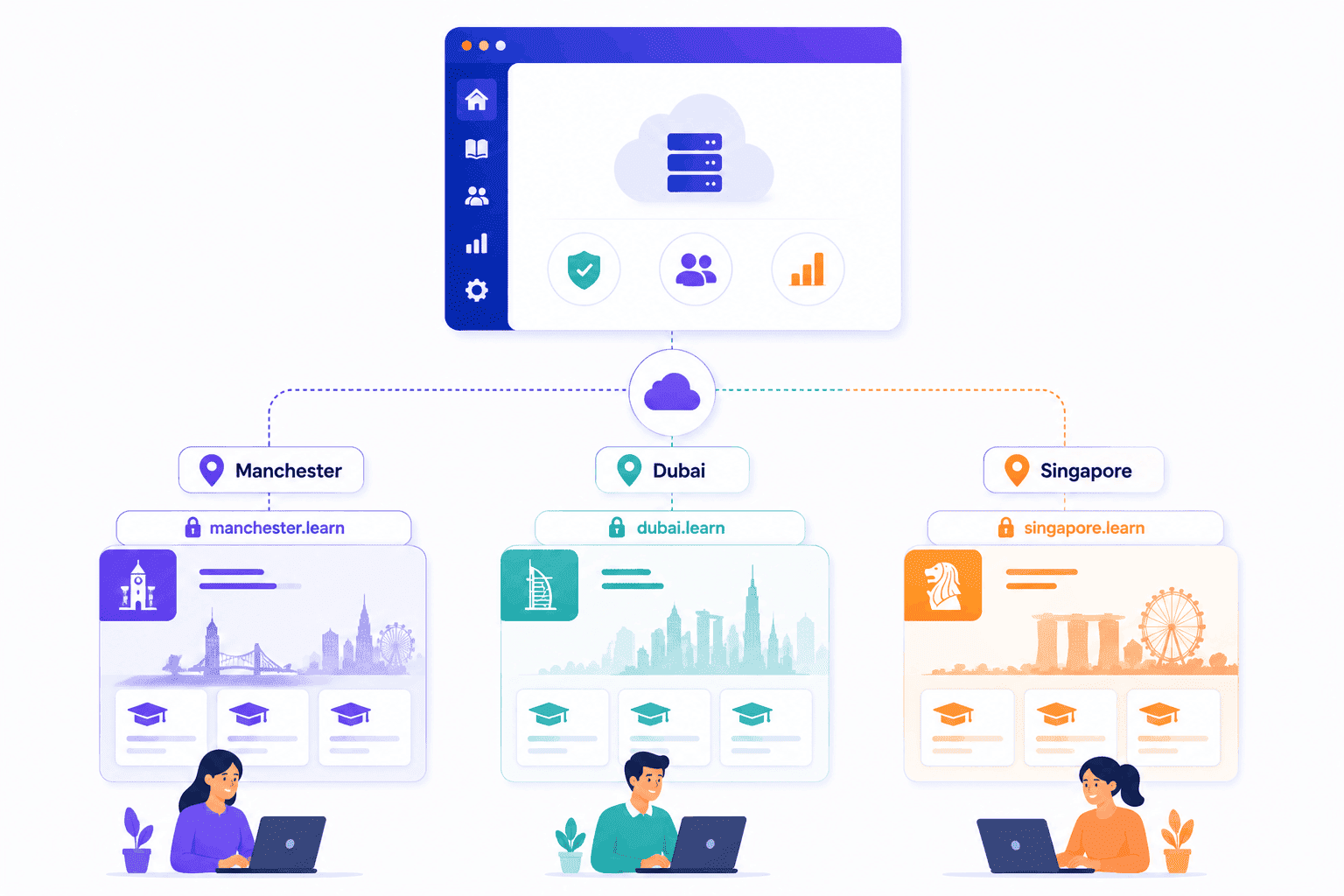
SimpliTrain assigns a unique branded URL to every center in your organisation, so each location has its own distinct training environment within the platform. A learner at your Manchester office logs in through a Manchester-specific URL that reflects that location’s branding and course catalog.
This removes the experience of a generic, one-size-fits-all portal and gives each site the ownership feel of a dedicated platform. For franchise networks, retail chains, and franchising training programs, this level of local branding drives learner adoption without the cost of running separate systems.
- Per-center branded URL
- Location-specific learner portal
- Shared platform, local identity
Scope Admin Permissions Precisely to Each Location
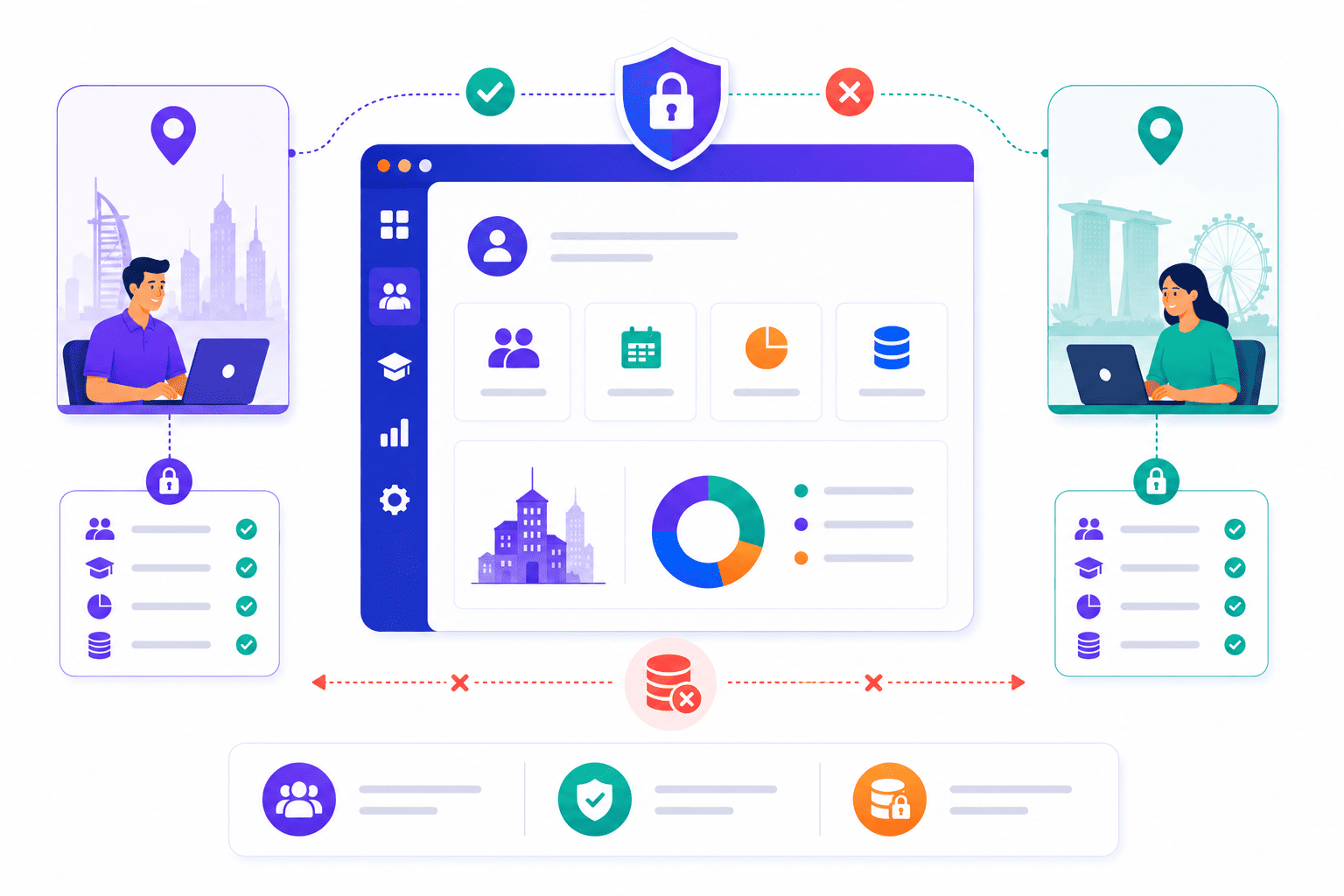
Multi-location training management works best when each site admin controls only what is relevant to their location. In SimpliTrain, center admins have scoped permissions that limit their access to their own center’s data, learners, classes, and reports. A center admin in your Dubai office cannot view or edit data from your Singapore center.
This removes the privacy and governance risks that come with giving all admins full platform access, and it reduces IT overhead by removing the need for manual permission audits. The result is a managed admin structure where each location’s team operates independently within their defined scope.
- Center-scoped admin access
- Location-specific data control
- Cross-center data separation
TMS Reporting and Training Analytics for Every Location
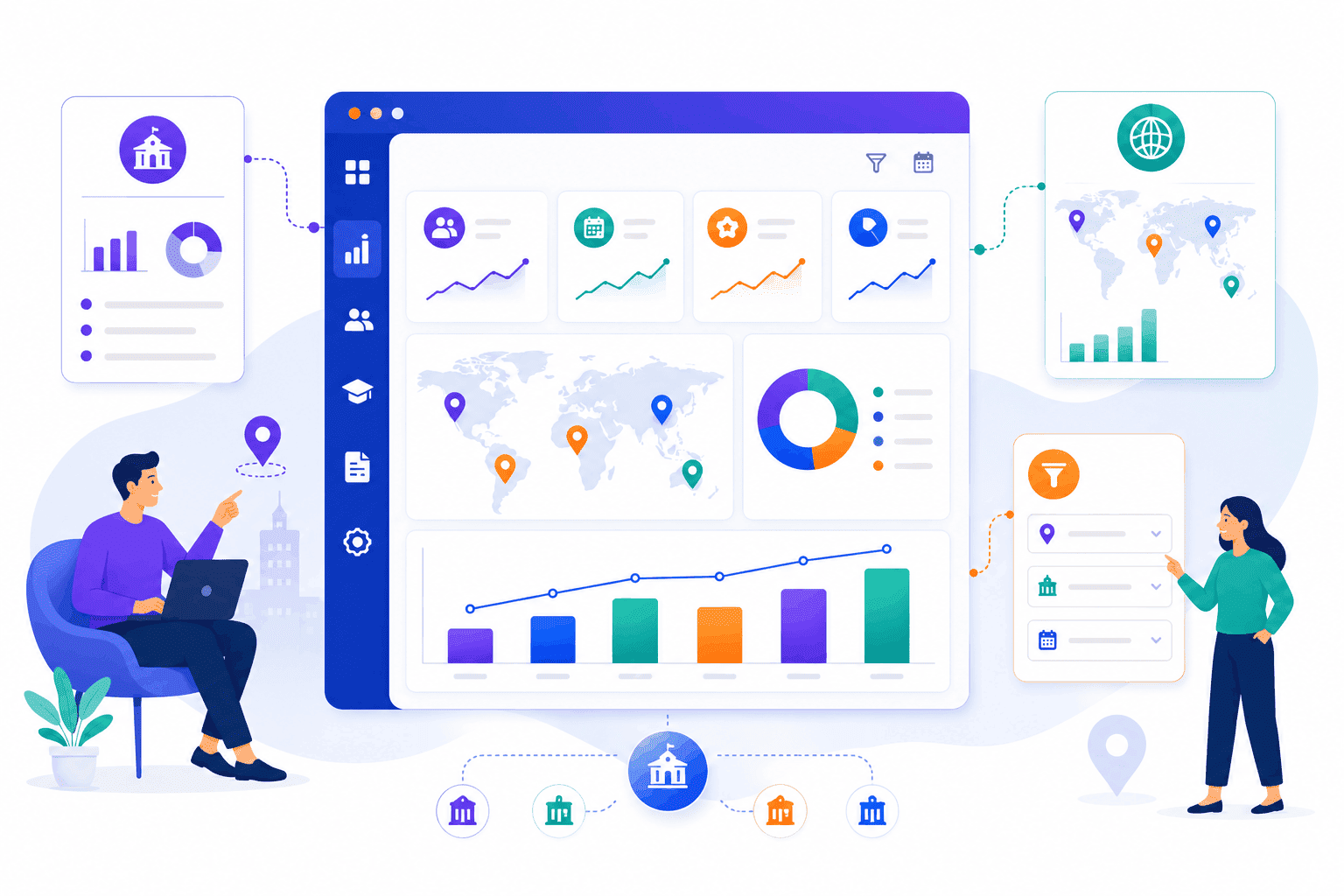
SimpliTrain generates training reports at the center level, so you can view completion rates, attendance records, and assessment scores for each location individually or roll them up to the parent view. A global L&D head sees the full picture across all centers. This dual-level view gives both operational leads and senior L&D stakeholders the training metrics and training KPIs they need without any manual data wrangling.
A site manager sees only their location’s data. This dual-view reporting structure means you never have to manually split a single export to get location-level insights, which saves significant time for teams managing training across ten or more sites.
- Center-level reporting
- Global rollup view
- Location-specific data filters
Deliver Central Content Locally Across All Your Locations
SimpliTrain supports centralised course and content management, so your L&D team creates and maintains the core curriculum once and deploys it to any center that needs it. Local centers can access the central content library without needing to rebuild or duplicate courses for their site.
This is the operational model that keeps multi-location training consistent without creating content sprawl. For organizations running compliance training programs or product training across distributed teams, this means the same approved content reaches every location from a single source of truth.
- Central content library
- Cross-center course deployment
- Single content source
Manage Every Location in SimpliTrain
From One Login!
Frequently Asked Questions
1. How do I set up multiple locations in SimpliTrain?
You create centers within your SimpliTrain site, each representing a location or division. Centers can be structured as parent-child relationships to reflect your organisation’s geography or reporting hierarchy. The setup is done from the central admin panel without requiring separate accounts or platform instances.
2. What types of training can be delivered across multiple locations in SimpliTrain?
SimpliTrain supports instructor-led training, virtual instructor-led training, self-paced SCORM courses, and blended training solutions across all locations.
3. Can SimpliTrain integrate with our HRIS to sync location and employee data?
SimpliTrain supports API-based integrations for connecting HRIS and other workforce management systems. For specific integration compatibility with your HRIS provider, visit simplitrain.com/integrations or raise it during your demo so the team can confirm the right configuration for your organisation.
4. How does the center hierarchy work for organizations with regional and local offices?
You create a parent center for the regional level and child centers beneath it for each local office. Center admins at the local level access only their own center’s data. Regional or global admins can view across all centers within their scope from the parent level.
5. Is multi-location management included in all SimpliTrain plans?
Multi-center support and center-scoped admin permissions are part of the SimpliTrain platform. Pricing is based on admin users with no per-location fee. Visit simplitrain.com/pricing for the full plan breakdown or speak with the team about enterprise configurations for large site counts.
6. What does a learner experience when their company has multiple locations on SimpliTrain?
Learners access SimpliTrain through the branded URL assigned to their center and see only the courses, classes, and content relevant to their location. They do not see other centers’ content or learner data, keeping their experience focused and specific to their site.
7. Is location and learner data kept separate and secure across centers in SimpliTrain?
Each center’s data in SimpliTrain is isolated by role-based access controls, so center admins and learners cannot access data from other locations. All data is stored with enterprise-grade security. Contact SimpliTrain for details on data residency, compliance certifications, and security standards relevant to your industry.
