
Learning Paths
Learning Paths That Guide Every Learner From Day One
SimpliTrain lets you build structured learning paths that bundle multiple courses and classes into a single enrolled program, sequenced in the order that makes sense for the role or goal. From a new hire onboarding path to a multi-course certification program, every learner knows exactly what to do next — and the platform keeps track of where they are across the whole journey.

Bundle Courses and Classes Into One Structured Learning Path
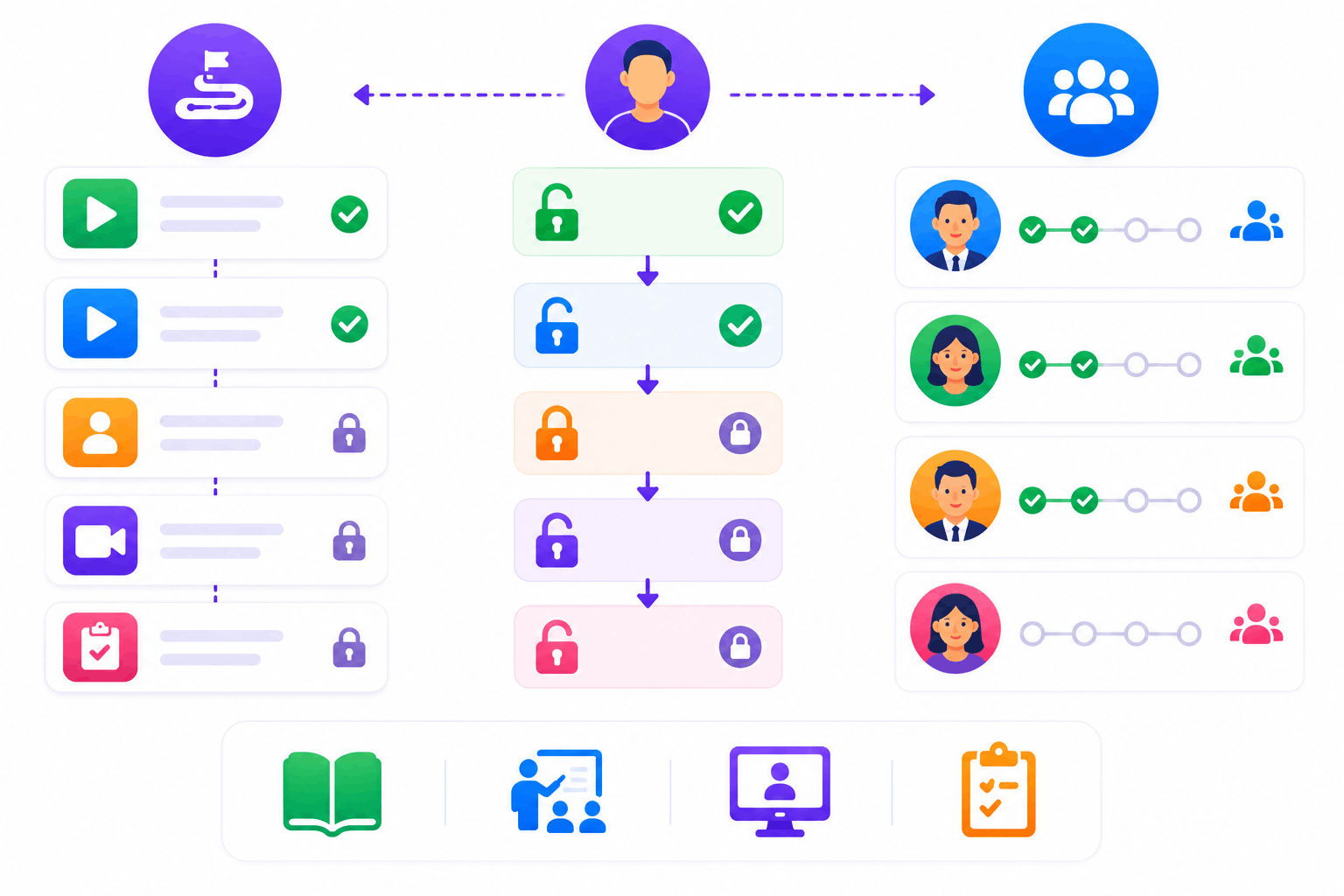
SimpliTrain learning paths let you combine self-paced SCORM courses, instructor-led classes, virtual sessions, and assessments into a single packaged program that a learner enrolls in once. You define the sequence, and the platform enforces it — a learner cannot move to step three until steps one and two are complete.
A practical example is a Microsoft Suite learning path: Excel Basics moves to Excel Advanced, then to PowerPoint, then to Teams, all tracked from one enrolled program. For L&D teams managing role-based training, this structured sequence removes the ambiguity of ad hoc course access and replaces it with a defined, trackable journey.
- Sequenced course and class bundling
- Prerequisite step enforcement
- Role-based path assignment
Use Tag-Based Recommendations to Surface Relevant Courses
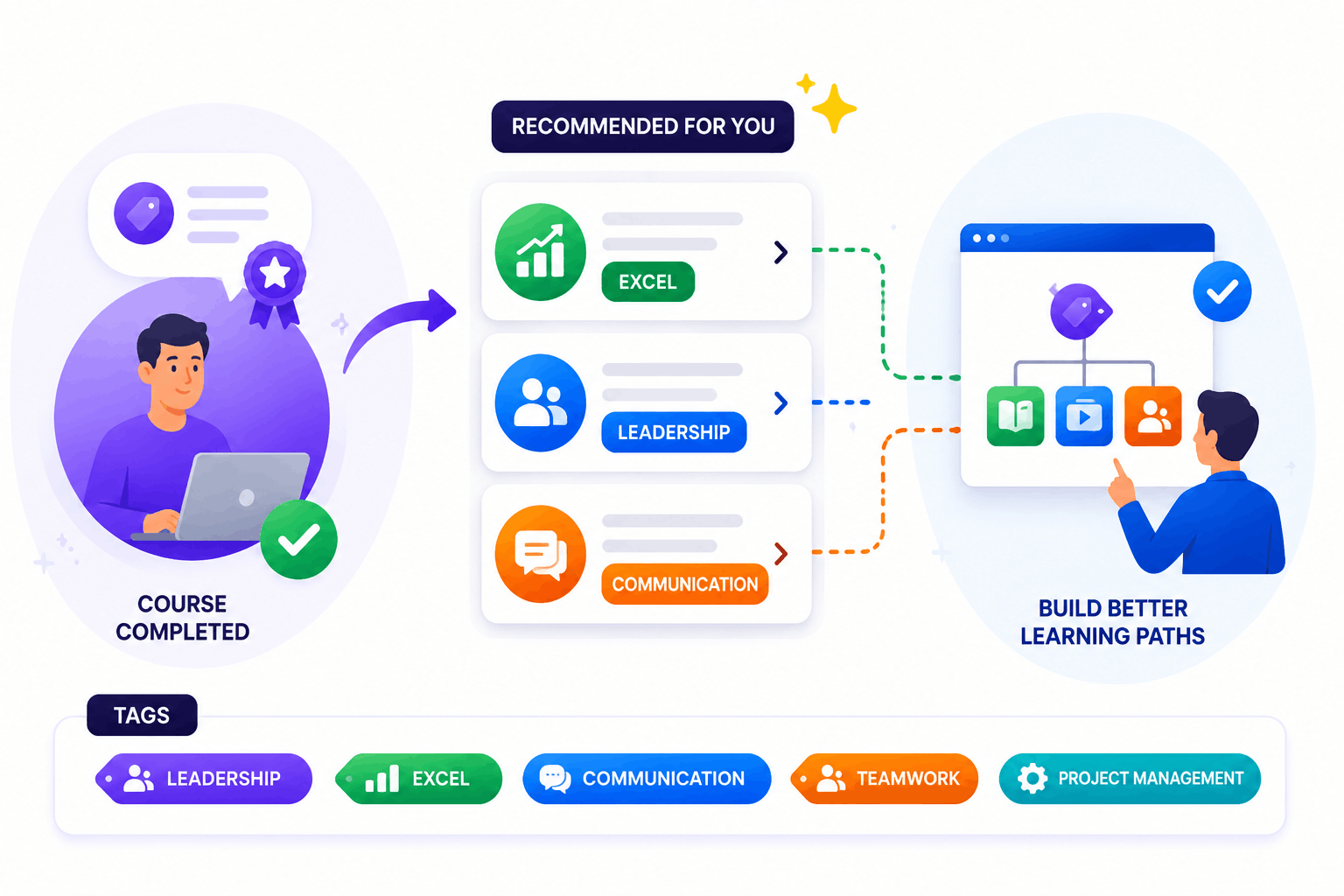
SimpliTrain’s current recommendation engine uses a tag-based system to group and suggest related courses to learners based on shared content tags. When a learner completes a course tagged with a specific skill or topic, the system surfaces other courses carrying the same tag as logical next steps.
This means relevant course suggestions appear for learners who might not know exactly what to search for next, reducing the gap between course completion and the next enrollment. For admins building learning paths, tags also make it faster to identify which courses belong together in a structured sequence for a given role or program.
- Tag-based course grouping
- Contextual next-step suggestions
- Admin path-building support
Issue Certificates Per Course or Upon Full Path Completion
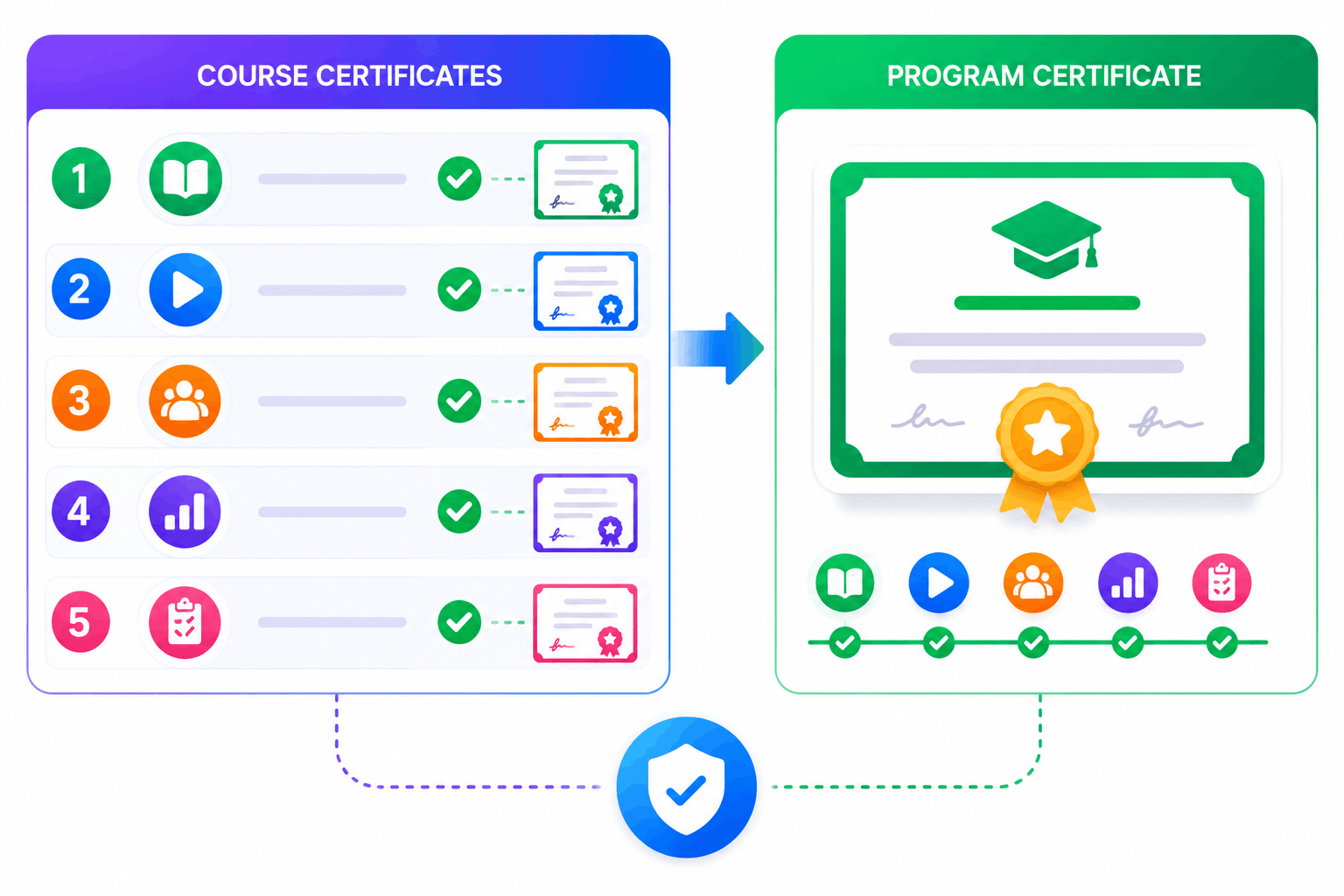
SimpliTrain gives you the flexibility to issue certificates at two levels within a learning path: one for each individual course completed, and one for completing the entire path. For multi-course certification programs, this means learners receive recognition at each milestone rather than only at the end.
A learner who completes a five-course path can earn five individual course certificates plus a program-level certificate when the full path is done, giving training providers a stronger credentialing proposition for their learners.
- Per-course certificate issuance
- Program-level certificate
- Dual credentialing flexibility
Enroll Learners Into a Full Path With One Action
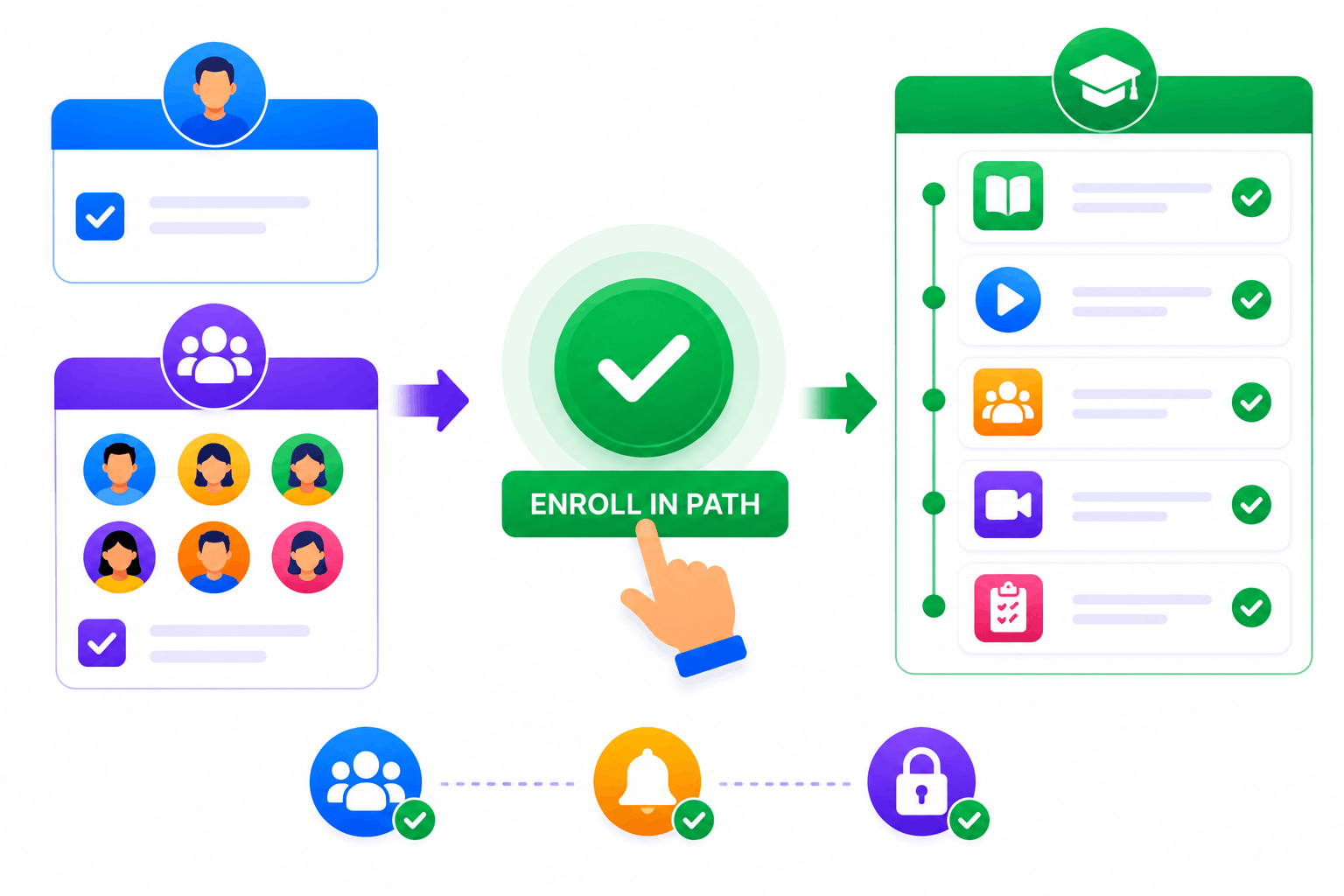
SimpliTrain treats a learning path as a single enrolled unit, so adding a learner or a group to a path enrolls them across every course and class within it in one step.
There is no need to enroll separately in each component. For L&D teams onboarding a new cohort into a multi-course program, this single enrollment action covers the entire journey and triggers all relevant notifications and access settings at once.
- Single path enrollment action
- Group path enrollment
- Automatic component access
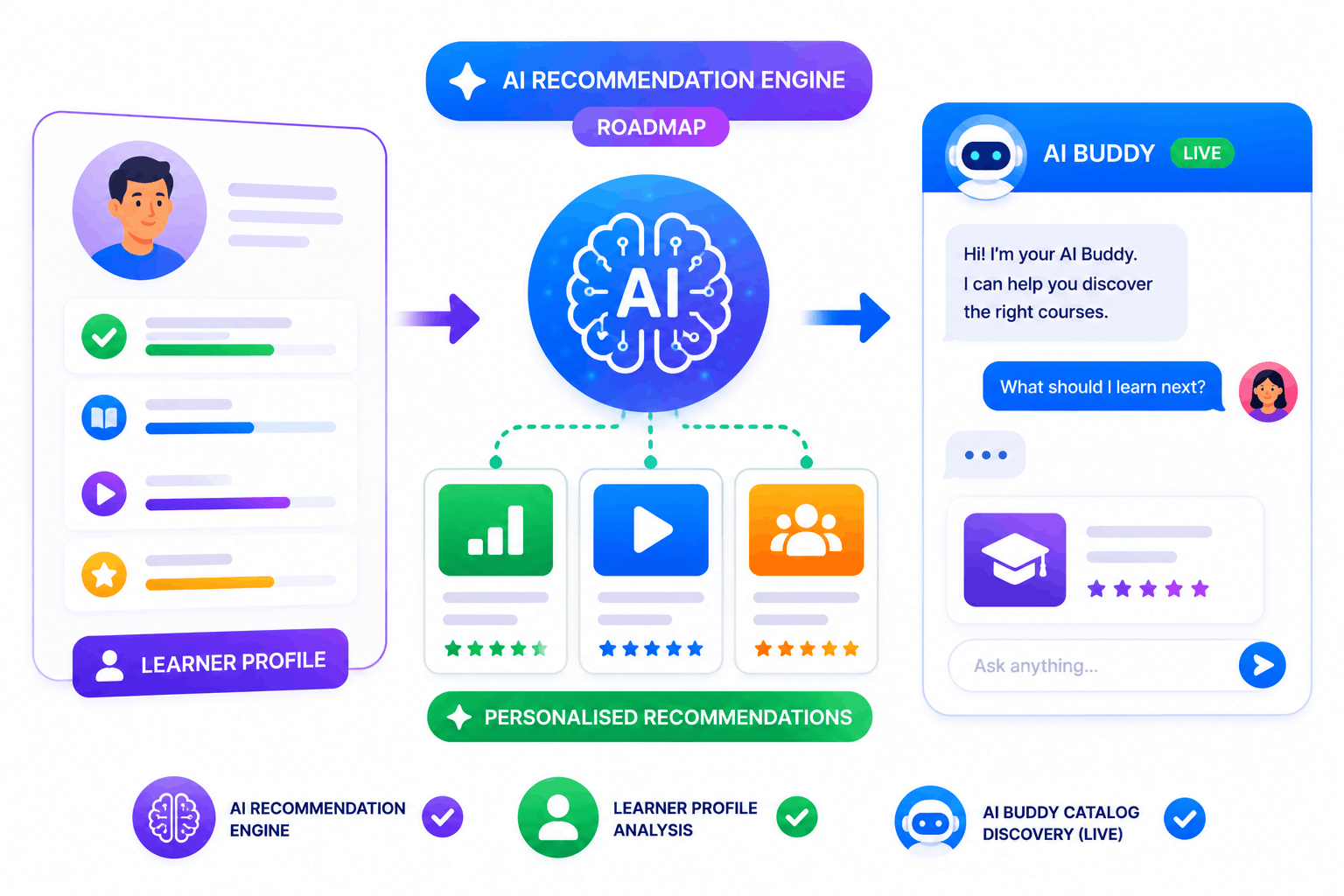
AI-Powered Personalised Recommendations Are Coming to SimpliTrain
SimpliTrain’s current tag-based recommendation system is the foundation for a more advanced AI-powered recommendation engine on the product roadmap. The upcoming AI layer will analyse each learner’s profile, completed content, and course characteristics to generate personalised suggestions that go beyond shared tags.
For forward-looking L&D teams evaluating platforms for a three-to-five year horizon, this positions SimpliTrain as a platform that will evolve with the standard, not one that requires a replacement when personalisation becomes a baseline expectation. The AI Buddy chatbot, already live in the learner interface, is the first step in this direction.
- AI recommendation engine (roadmap)
- Learner profile analysis
- AI Buddy catalog discovery (live)
Build Your First Learning Path in
Training Today!
Frequently Asked Questions
1. How do I create a learning path in SimpliTrain?
You build a learning path in SimpliTrain by selecting the courses, classes, and assessments you want to include, arranging them in the correct sequence, and configuring whether each step must be completed before the next one unlocks. Once the path is ready, you enroll learners or groups into it as a single action.
2. What types of content can be included in a SimpliTrain learning path?
A SimpliTrain learning path can include self-paced SCORM courses, instructor-led classroom sessions, virtual classes via Zoom or Teams, assessments, and surveys. Certificates can be configured to issue at the completion of individual courses within the path or upon finishing the entire program.
3. Does SimpliTrain integrate with external content platforms to add courses to a learning path?
SimpliTrain can fetch courses from an external system via API and include them in the catalog. Externally-fetched courses can be included in learning paths alongside native SimpliTrain content. Visit simplitrain.com/integrations for details on supported external content connections.
4. How does the course recommendation system work in SimpliTrain right now?
SimpliTrain currently uses a tag-based recommendation engine that groups courses sharing the same content tags and surfaces them as suggested next steps for learners. An AI-powered personalised recommendation engine that analyses learner profiles and course characteristics is on the product roadmap for a future release.
5. Is learning path management included in all SimpliTrain plans?
SimpliTrain uses flat-rate pricing based on admin users with no per-path or per-course fee within a path. Learning path creation, enrollment management, and certificate configuration are all included in the platform. Visit simplitrain.com/pricing for the full plan breakdown.
6. What does a learner see when they are enrolled in a learning path?
Learners see the full sequence of their learning path in their SimpliTrain dashboard, with each step showing its completion status, upcoming session details, and any locked steps that require a prior completion. Progress across the entire path is visible from one view without navigating to individual course records.
7. Is learner progress data across a learning path stored securely in SimpliTrain?
All learning path enrollment records, step completion data, and certificate issuance events are stored in SimpliTrain with role-based access controls. Admins can view path-level progress reports within their permission scope. Contact SimpliTrain for details on data security and compliance certifications.
