
Integrations
Course Management Built for Every Training Format
SimpliTrain puts the course at the centre of everything, it is the foundation for self-paced eLearning, instructor-led classes, blended programs, and technical hands-on labs. Whether you are an instructional designer building curriculum or an L&D admin managing a catalog of hundreds of programs, SimpliTrain gives you one system to create, organise, and deliver every course your organisation needs.

Build Courses With Materials, Activities, Labs, and Metadata
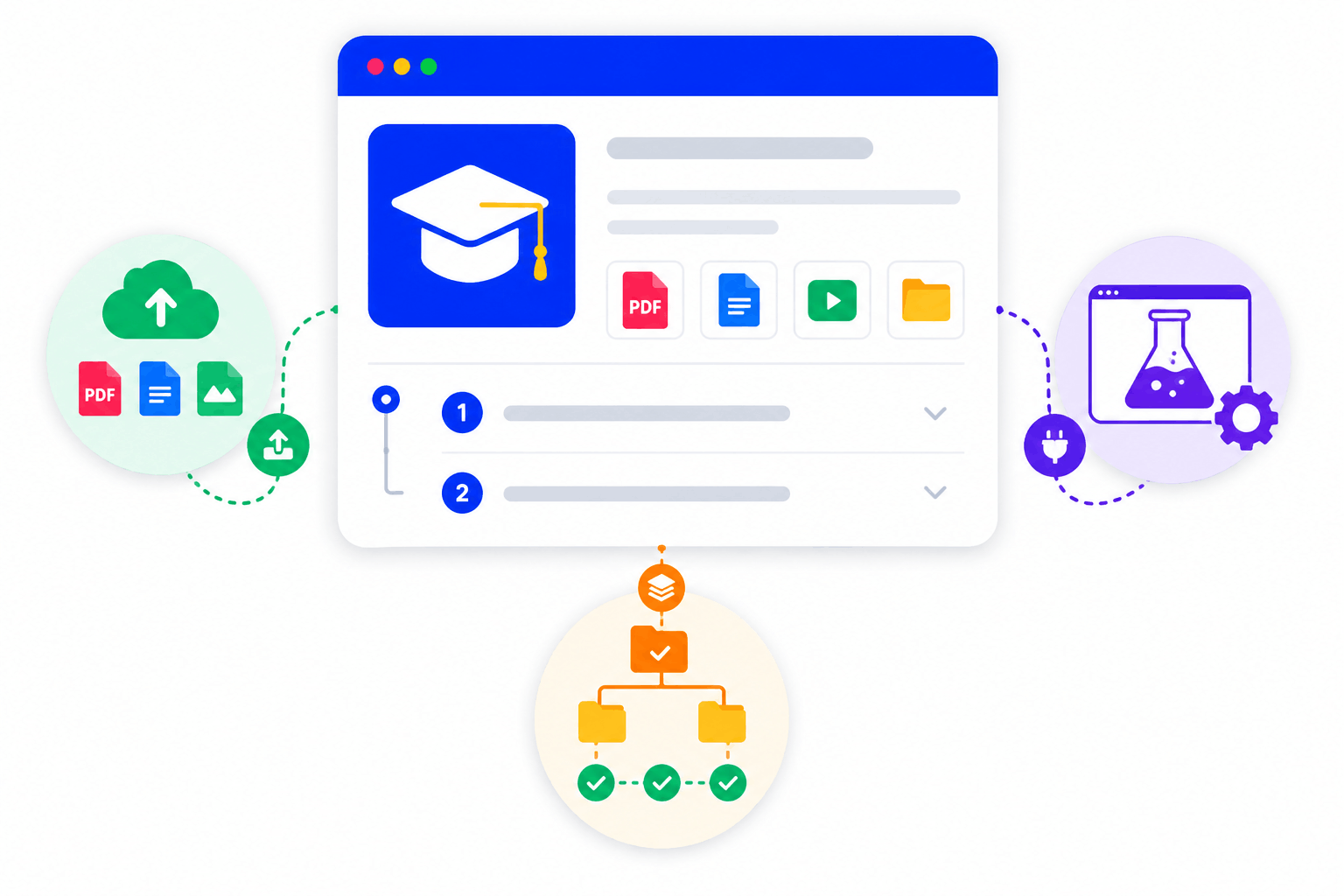
SimpliTrain lets you build a course that contains everything a learner needs in one structured record. A course holds uploaded materials such as files and documents, activities, third-party lab integrations for hands-on technical training, and full metadata including description, target audience, prerequisites, and chapter structure.
For IT and technical training programs, the lab integration capability means learners complete real-world exercises inside the course without switching to a separate platform. For instructional designers managing complex curricula, the chapter and prerequisite structure keeps content organised and sequenced correctly from the start.
- Course materials upload
- Third-party lab integration
- Prerequisite and chapter structure
Surface External Courses Alongside Your Native Catalog
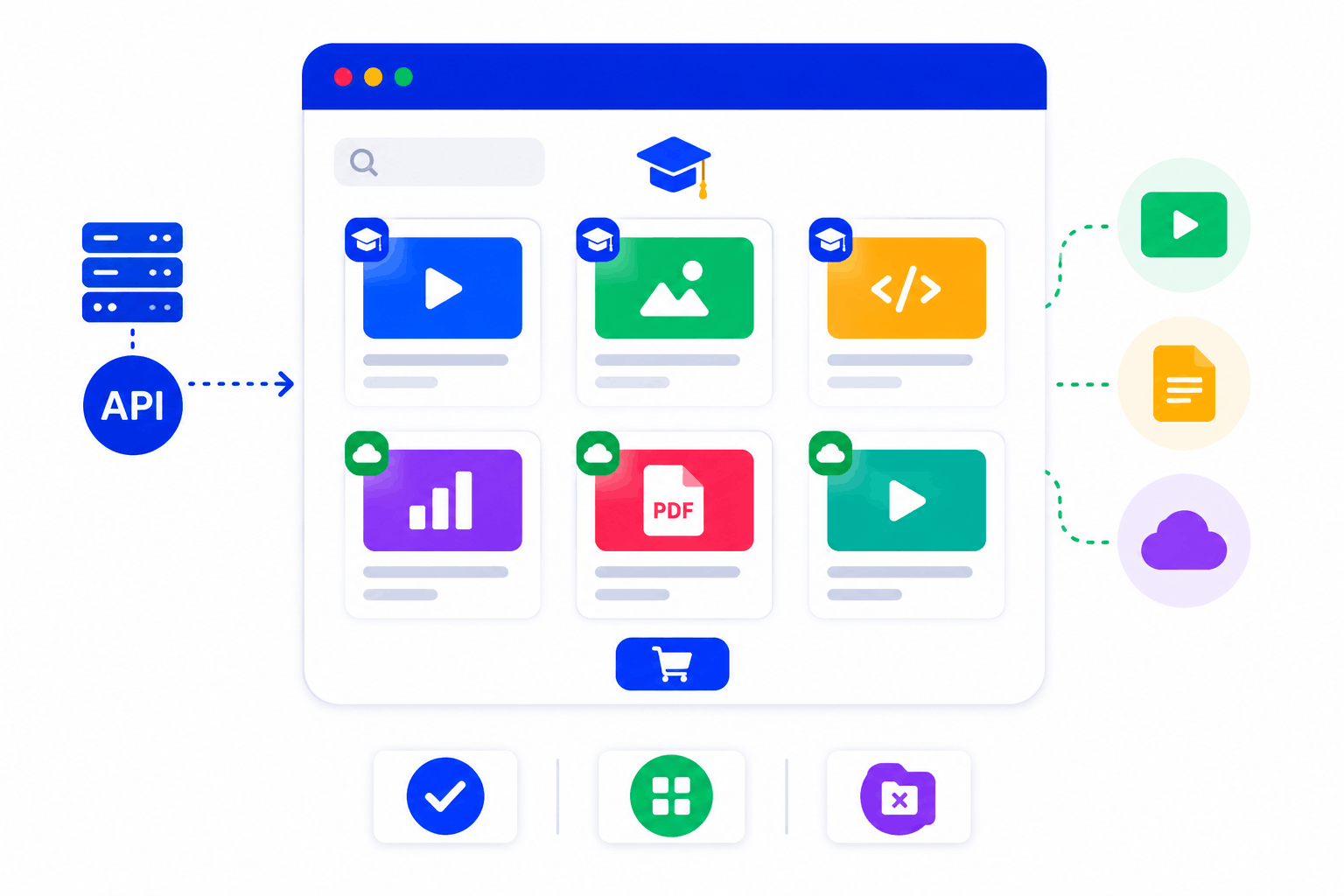
SimpliTrain can fetch courses from a client’s existing external system via API and display them in the SimpliTrain catalog alongside natively hosted courses. A learner browsing the catalog sees one unified list, they do not need to know or care which system is hosting each course.
This is a significant capability for enterprise organisations that have existing content investments in another platform and do not want to migrate files before adopting SimpliTrain. The external courses appear, can be browsed, and can even be purchased through SimpliTrain’s e-commerce layer without SimpliTrain hosting the underlying files.
- API-fetched external courses
- Unified catalog view
- No file migration required
Control Course Access Through Enrollment and Center Permissions
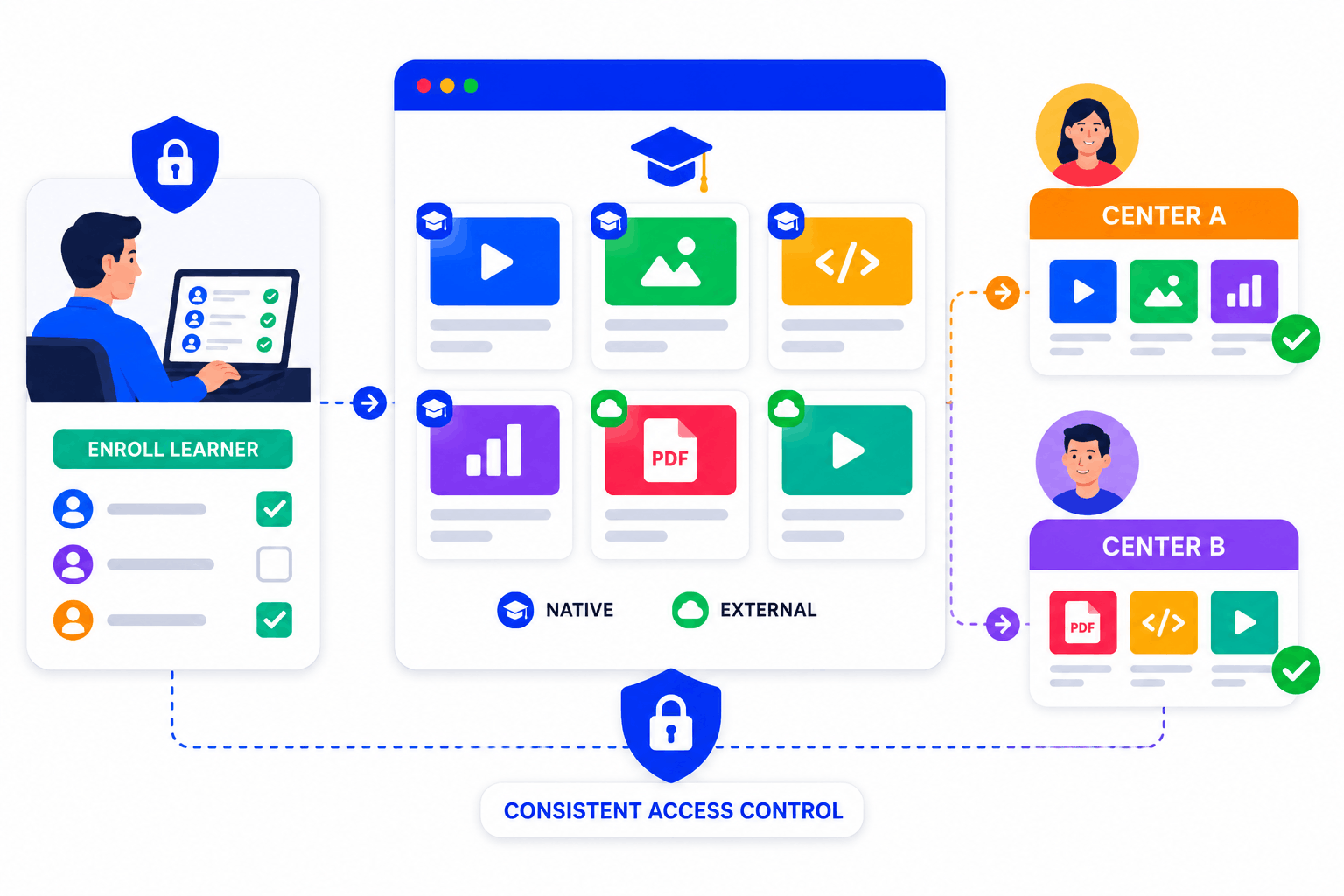
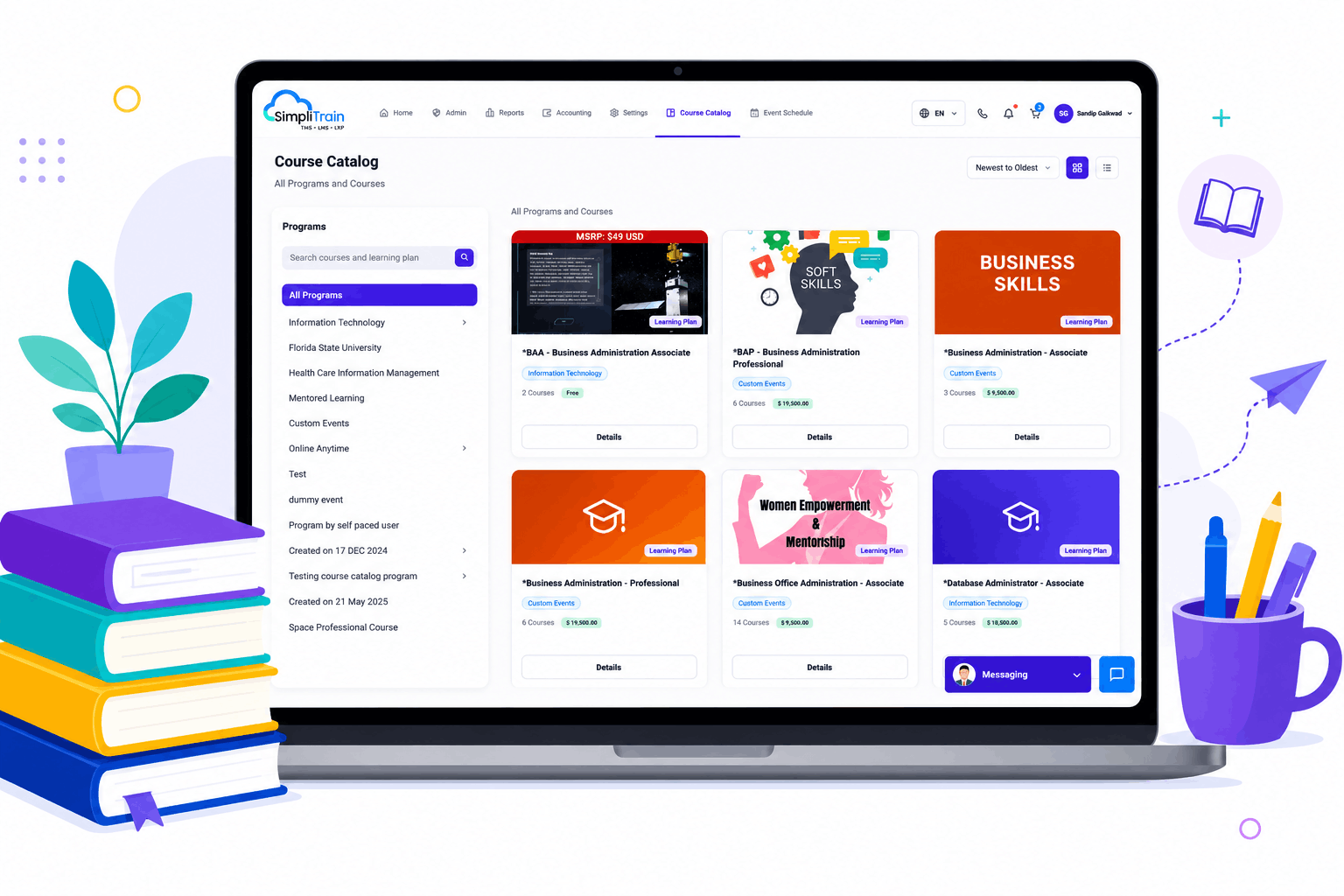
Enrollment is a required step before any learner can access a course in SimpliTrain, giving admins full control over who sees and starts each program. The course catalog displays only the courses available to a learner based on their center and eligibility, so learners never see content that is not relevant to their role or location.
This enrollment gate applies to both native and externally-fetched courses, keeping access consistent across the full catalog regardless of where the content is hosted.
- Enrollment-gated course access
- Center-specific catalog display
- Consistent access control
Duplicate and Reuse Courses for Faster Program Creation
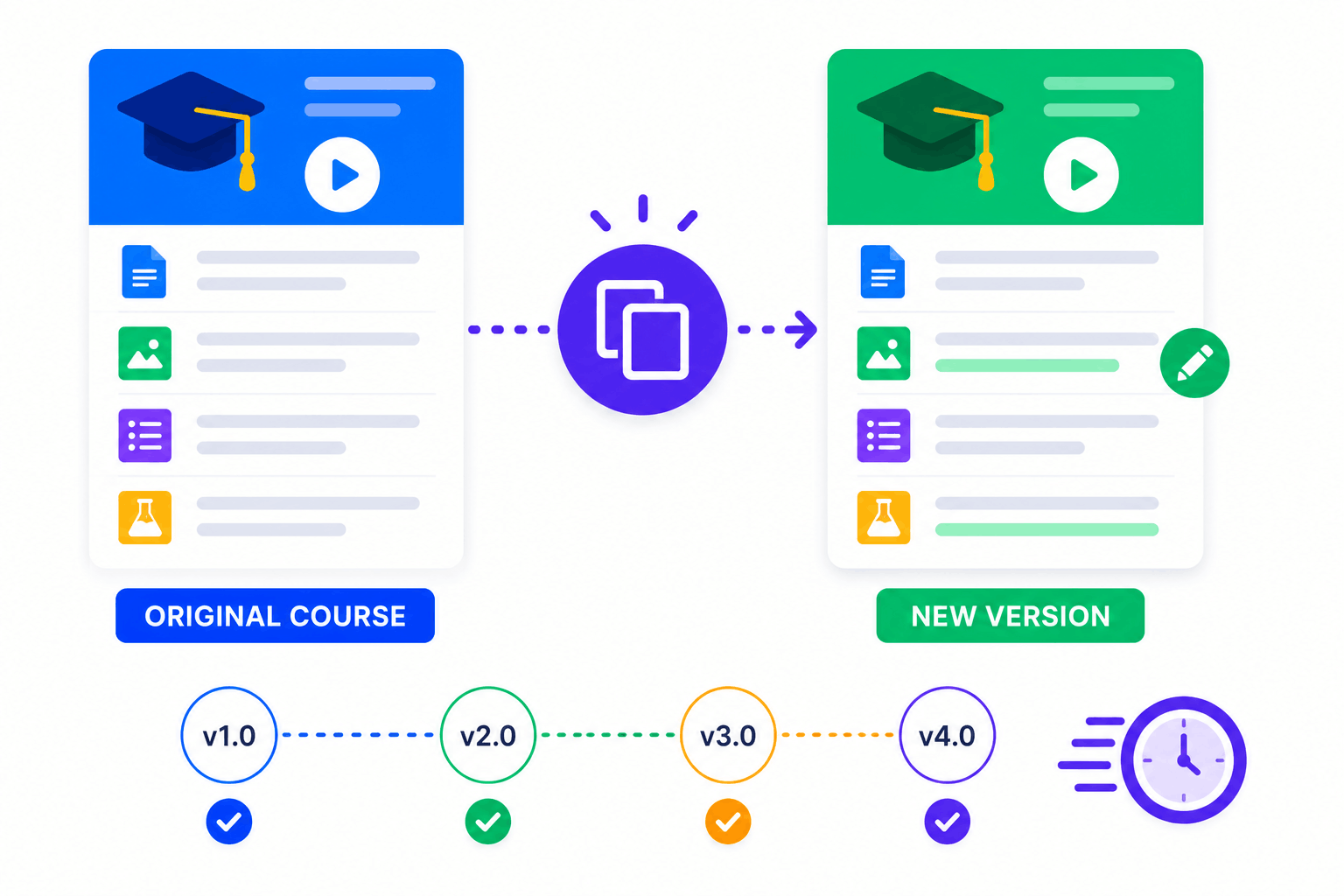
SimpliTrain supports course duplication, so instructional designers can use an existing course as the foundation for a new one without rebuilding from scratch. A compliance course updated for a new regulatory cycle starts from last year’s version with the relevant sections edited, not from a blank record. This reduces the time it takes to maintain a large course library while keeping content accurate and current.
- Course duplication
- Rapid content iteration
- Version-based updates
Manage Your Entire Course Library From One Admin Panel
SimpliTrain gives L&D admins a centralised course management view where every course in the organisation’s library is visible, searchable, and actionable from one screen. You can filter by center, status, format, or enrollment count to find exactly what you need without navigating multiple menus. Draft and publish controls let instructional designers work on updates without exposing incomplete content to learners.
For organisations managing large catalogs across multiple centers, this single-panel management approach removes the operational fragmentation that comes from maintaining separate systems per team or location.
- Draft and publish controls
- Full catalog admin view
- Course status filtering
Build and Manage Your Course Library in
Training Today!
Frequently Asked Questions
1. How do I create a course in SimpliTrain?
You create a course by adding its metadata, uploading materials such as files or SCORM packages, structuring it into chapters, and setting any prerequisites. Once the course is ready, you publish it to make it visible in the catalog for eligible learners to enroll in.
2. What content types and formats does a SimpliTrain course support?
A SimpliTrain course can contain uploaded documents, SCORM-compliant self-paced modules, activities, and third-party lab integrations for technical training. Externally-hosted courses from a client’s own system can also be fetched via API and displayed in the same catalog alongside native content.
3. Can SimpliTrain display courses from our existing LMS or content platform?
Yes, SimpliTrain can fetch courses from an external system via API and surface them in the SimpliTrain catalog. Learners see native and external courses in one view. Contact the SimpliTrain team at simplitrain.com/integrations for specifics on connecting your existing platform.
4. How does course access control work in SimpliTrain?
Enrollment is required before a learner can access any course. The catalog each learner sees is filtered by their center and eligibility, so they only see courses relevant to their role or location. Admins control enrollment and can set prerequisites that must be completed before a learner can access the next course.
5. Is course management included in all SimpliTrain plans?
SimpliTrain uses flat-rate pricing based on admin users with no per-course fee. Course creation, catalog management, external course API integration, and draft and publish controls are all part of the platform. Visit simplitrain.com/pricing for the full plan breakdown.
6. What does a learner see when they browse the course catalog?
Learners see a catalog filtered to their center and eligibility, showing available courses with descriptions, enrollment buttons, and any purchase options if e-commerce is enabled. The AI Buddy chatbot is also available to help learners find relevant courses by describing what they need in their own words.
7. Is course content and learner enrollment data secure in SimpliTrain?
All course records, learner enrollment data, and completion history in SimpliTrain are stored with role-based access controls. Center admins access only the courses within their center scope. Contact SimpliTrain for details on data security standards and compliance certifications relevant to your industry.
