
Automation
Notifications and Announcements That Keep Every Learner Informed
SimpliTrain keeps learners, instructors, and admins connected through automated notifications and in-platform announcements, streamlining operations at every stage of the training journey without a separate messaging tool.
From enrollment confirmations and pre-class reminders to post-session notes and discussion board updates, every communication happens inside a single system without requiring a separate messaging tool.

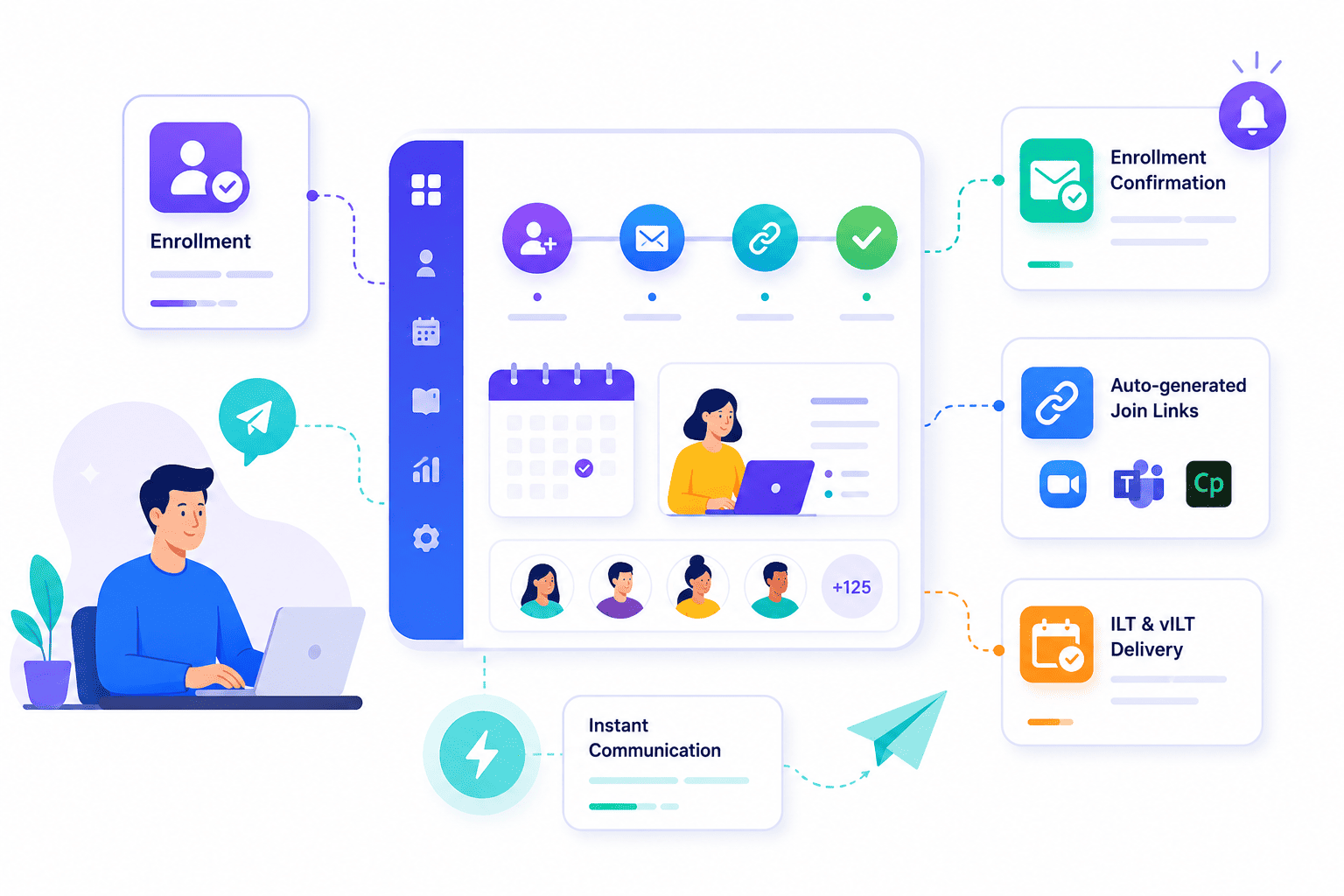
Send Enrollment Confirmations and Class Links Automatically
SimpliTrain sends an enrollment confirmation to every learner the moment they are added to a class, including the session schedule and virtual join link where applicable. This removes the manual step of individually communicating class details to each enrolled learner after setup.
For virtual instructor-led training sessions connected to Zoom, Teams, or Adobe Connect, the join link is generated and included in the confirmation automatically. Learners have everything they need to attend without a follow-up email from the admin team.
- Enrollment confirmation delivery
- Auto-generated join links
- Instant post-enrollment communication
- Supports ILT and vILT delivery confirmation
Remind Learners Before Every Session Without Manual Follow-Up
SimpliTrain supports automated pre-class reminder notifications sent at defined intervals before a session begins. A learner enrolled in a morning session receives a reminder the evening before and again one hour before the class starts, without any coordinator sending those messages manually. This reduces no-show rates for instructor-led sessions and keeps learners prepared ahead of each session in a multi-week program.
For internal training programs with mandatory compliance requirements, this level of automated follow-up also supports completion tracking and audit readiness. Reminder timing and content are configurable per class, giving admins control over the communication cadence for different program types.
- Timed pre-class reminders
- Configurable reminder intervals
- Reduced no-show rates

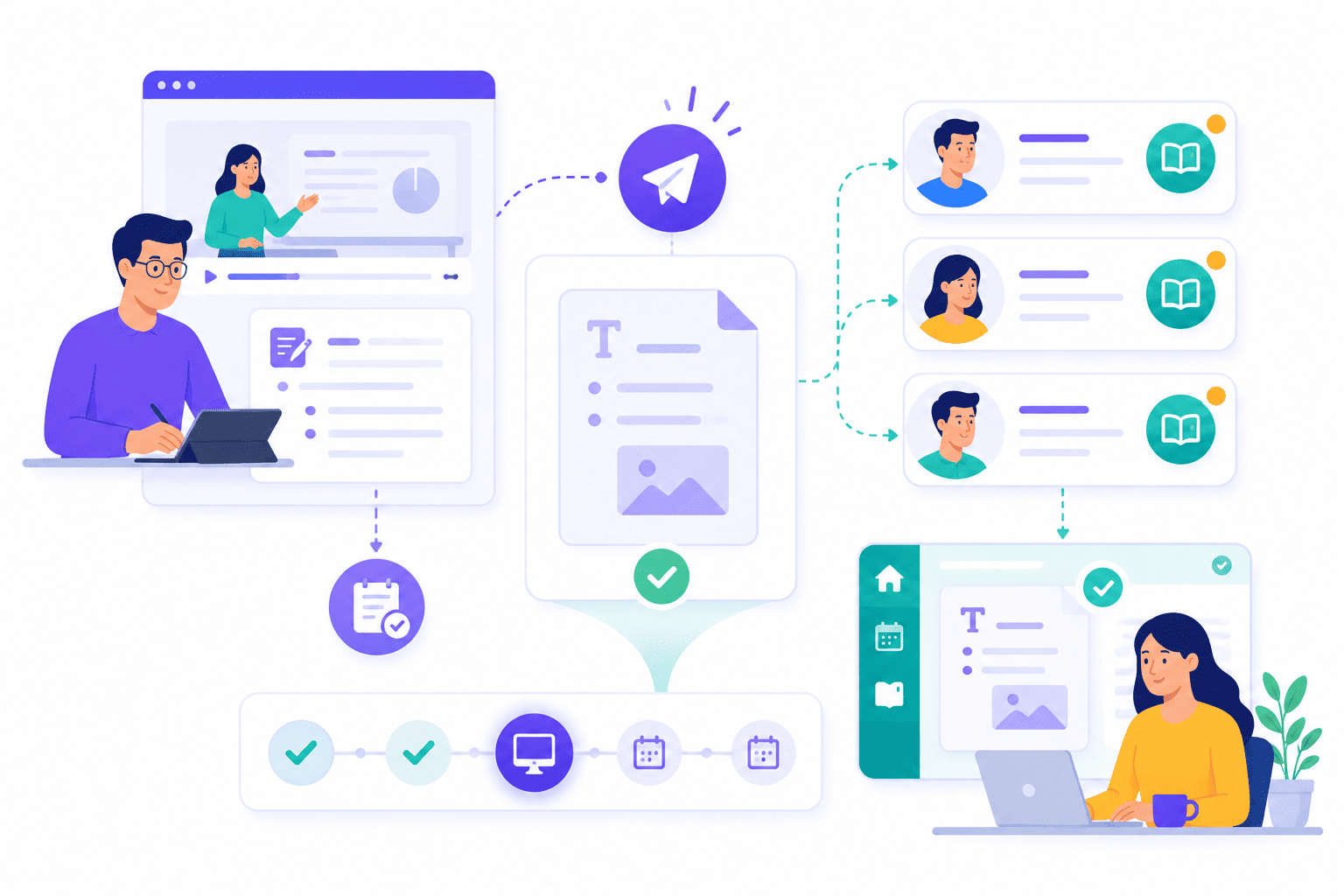
Share Instructor Notes With Every Learner After Class
SimpliTrain lets instructors write in-class notes during or after a session and share them directly with all enrolled learners from within the platform. Learners receive the notes in their dashboard without needing a separate email or document share. This keeps key session takeaways accessible and connected to the class record rather than lost in an inbox.
For multi-session programs, this creates a running reference that learners can return to between sessions. It also supports training delivery methods where knowledge transfer between sessions is as important as the live session itself.
- Instructor note creation
- Direct learner note delivery
- Session-linked reference record
Keep Cohorts Engaged Through the Class Discussion Board
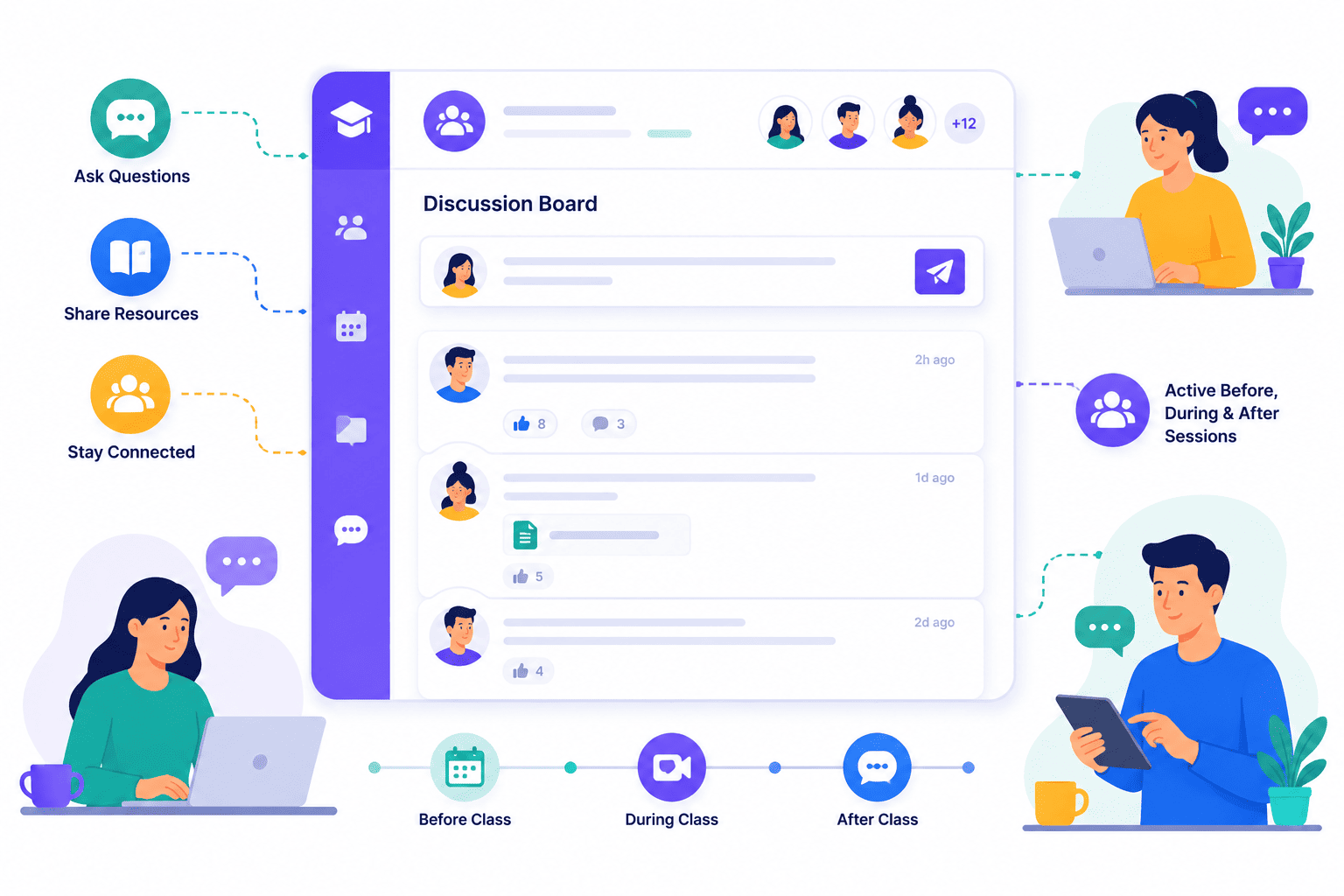
SimpliTrain includes a discussion board at the class level that stays active before, during, and after every session. Learners and instructors can post questions, share resources, and continue the conversation between sessions without switching to a separate communication tool.
For blended training solutions where live sessions are spaced weeks apart, the discussion board maintains the cohort’s connection and keeps learning momentum active between classes, including asynchronous training periods.
- Class-level discussion board
- Learner and instructor posting
- Pre and post session activity
Alert Learners and Admins When Something Changes or Completes
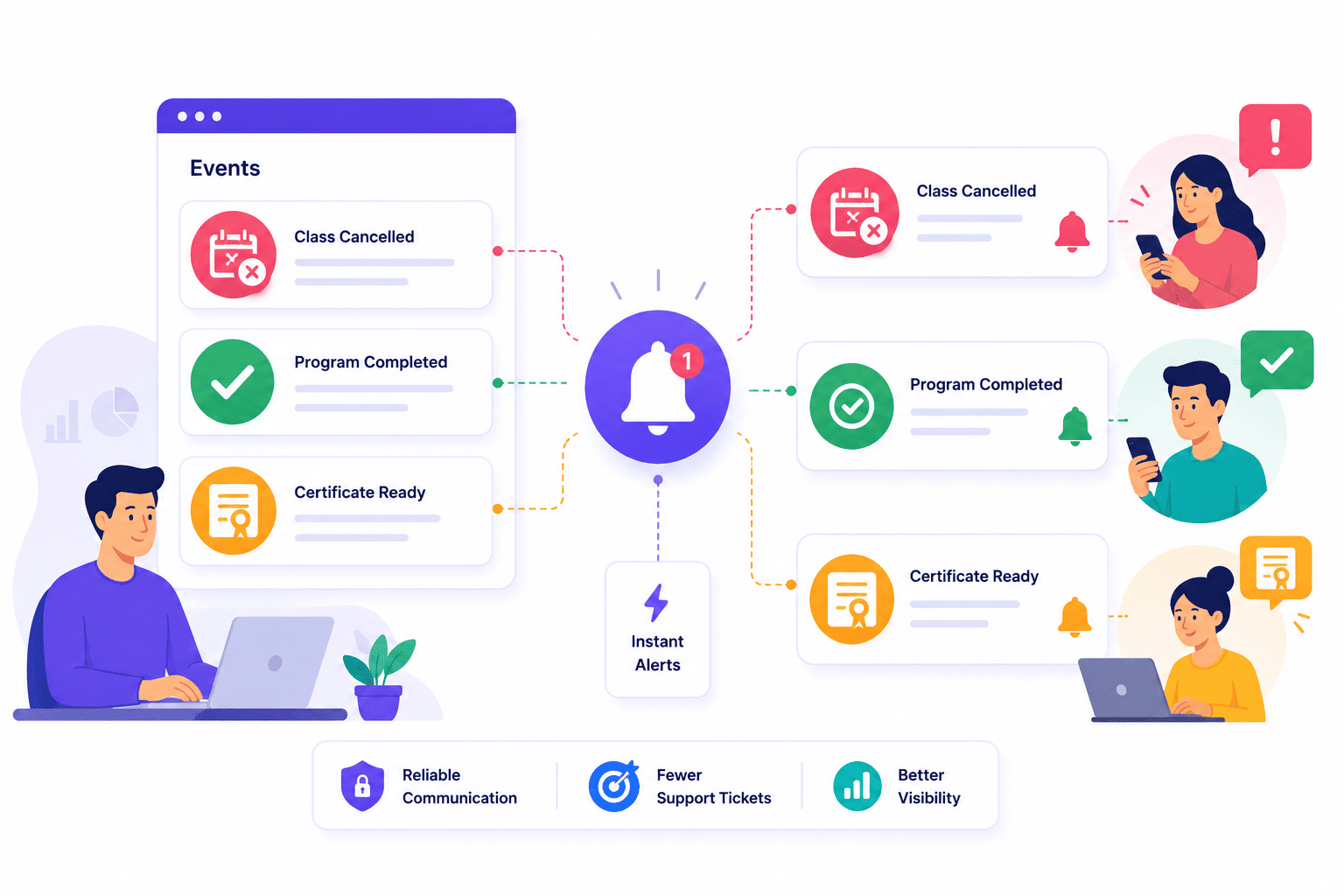
SimpliTrain sends automated notifications for key events across the training lifecycle, including class cancellations, completion confirmations, and certificate availability. When a class is cancelled, every enrolled learner receives an alert immediately without requiring manual outreach from the admin. When a learner completes a program and their certificate is ready, they receive a notification that brings them directly to their certificate download.
These event-driven alerts remove the communication gap that typically causes confusion and support tickets in manual training operations. Together, these automations give L&D teams the training metrics visibility and learner communication consistency that manual processes cannot sustain.
- Class cancellation alerts
- Completion confirmation notifications
- Certificate ready alerts
Keep Every Learner in the Loop With
SimpliTrain Today!
Frequently Asked Questions
1. How do notifications work for learners when they are enrolled in SimpliTrain?
Learners receive an enrollment confirmation automatically the moment they are added to a class or learning path in SimpliTrain. The confirmation includes class details, session dates, and a virtual join link where applicable, delivered without any manual step from the admin team.
2. What types of notifications does SimpliTrain send across the training lifecycle?
SimpliTrain sends enrollment confirmations, pre-class reminders, class cancellation alerts, completion confirmations, and certificate ready notifications. Instructor notes shared after a session also appear as notifications in the learner’s dashboard. All notification types are part of the platform without requiring a separate communication tool. These cover the full communication layer for both ILT and vILT delivery formats.
3. Can SimpliTrain connect to external communication tools like Slack or email platforms?
SimpliTrain delivers notifications within the platform and via email as part of the standard workflow. Slack integration is in active development, which will extend notification delivery into Slack channels. Visit simplitrain.com/integrations for the current list of supported communication connections.
4. How do pre-class reminder notifications work in SimpliTrain?
You configure a reminder rule at the class level, selecting how many hours or days before the session the reminder should be sent. SimpliTrain sends the reminder automatically to all enrolled learners at the defined interval without requiring manual send actions from the admin or coordinator.
5. Are notifications and announcements included in all SimpliTrain plans?
SimpliTrain uses flat-rate pricing based on admin users with no per-notification or per-communication fee. Automated notifications, instructor notes, and the class discussion board are all part of the platform. Visit simplitrain.com/pricing for the full plan breakdown.
6. What does a learner see in their notification feed inside SimpliTrain?
Learners see a chronological notification feed in their SimpliTrain dashboard that includes enrollment confirmations, session reminders, instructor notes, discussion board activity, completion updates, and certificate alerts. Every notification is linked to the relevant class or course record for easy access.
7. Is notification data and communication history stored securely in SimpliTrain?
All notification logs, instructor notes, and discussion board content in SimpliTrain are stored with role-based access controls. Learners see only their own notifications, and instructors access only the communication threads for their assigned classes. Contact SimpliTrain for details on data retention and security standards.
