
Instructor-Led Training
Run Instructor-Led Training That Actually Scales
SimpliTrain gives you a complete system for planning, delivering, and tracking instructor-led training, in a room or online. From single-day workshops to months-long certification programs, every class runs on a structure that your team can manage and your learners can follow.

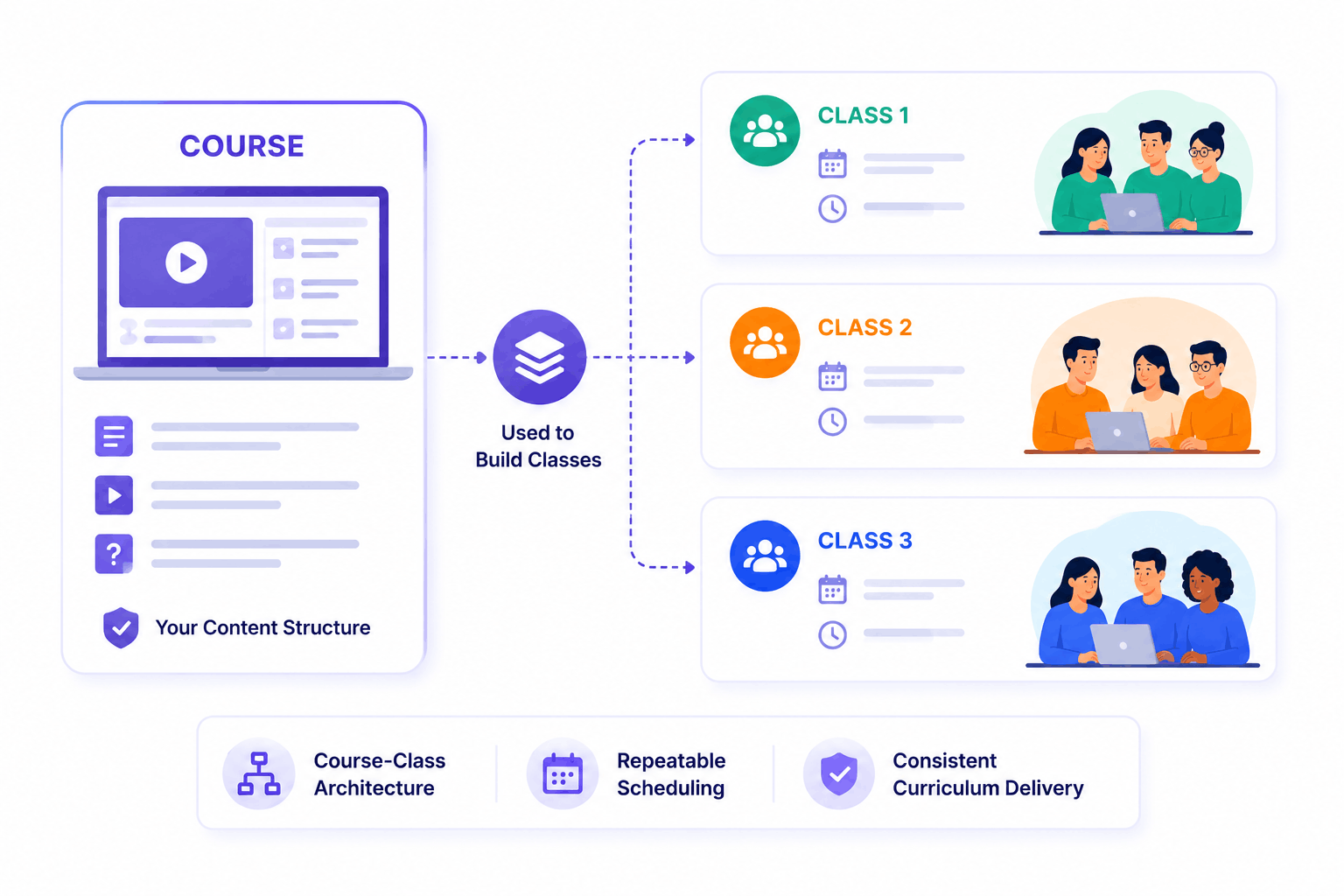
Build Every Class on a Course You Already Own
In SimpliTrain, the course is your content structure, the class is the live event you schedule on top of it. This separation means your curriculum stays intact while you run the same program multiple times, for different groups, without rebuilding anything. Each class inherits the course content, so instructors start from a defined, consistent foundation every time.
- Course-class architecture
- Repeatable scheduling
- Consistent curriculum delivery
Deliver In-Person or Virtual Instructor-Led Classes Natively
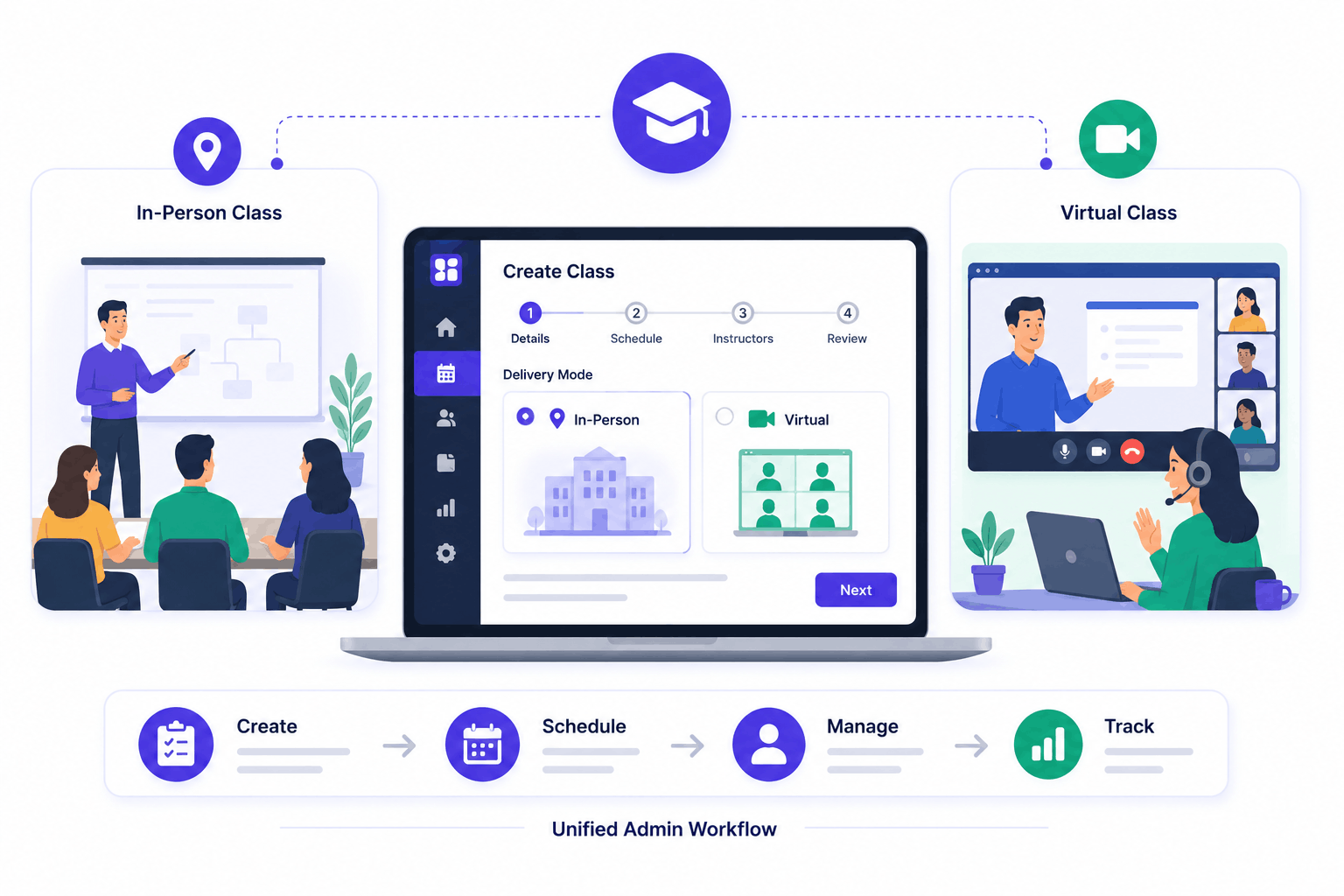
SimpliTrain supports both physical and virtual instructor-led training without requiring a separate tool for each. You choose the delivery mode when creating the class, and the platform adjusts the setup accordingly.
Virtual instructor-led training works within the same workflow as in-room delivery, your admin process doesn’t change, regardless of format. Learners enrolled in instructor-led online courses get the same structured experience either way.
- Physical delivery support
- Virtual classroom mode
- Unified admin workflow
Run Multi-Session Programs Without Losing Track
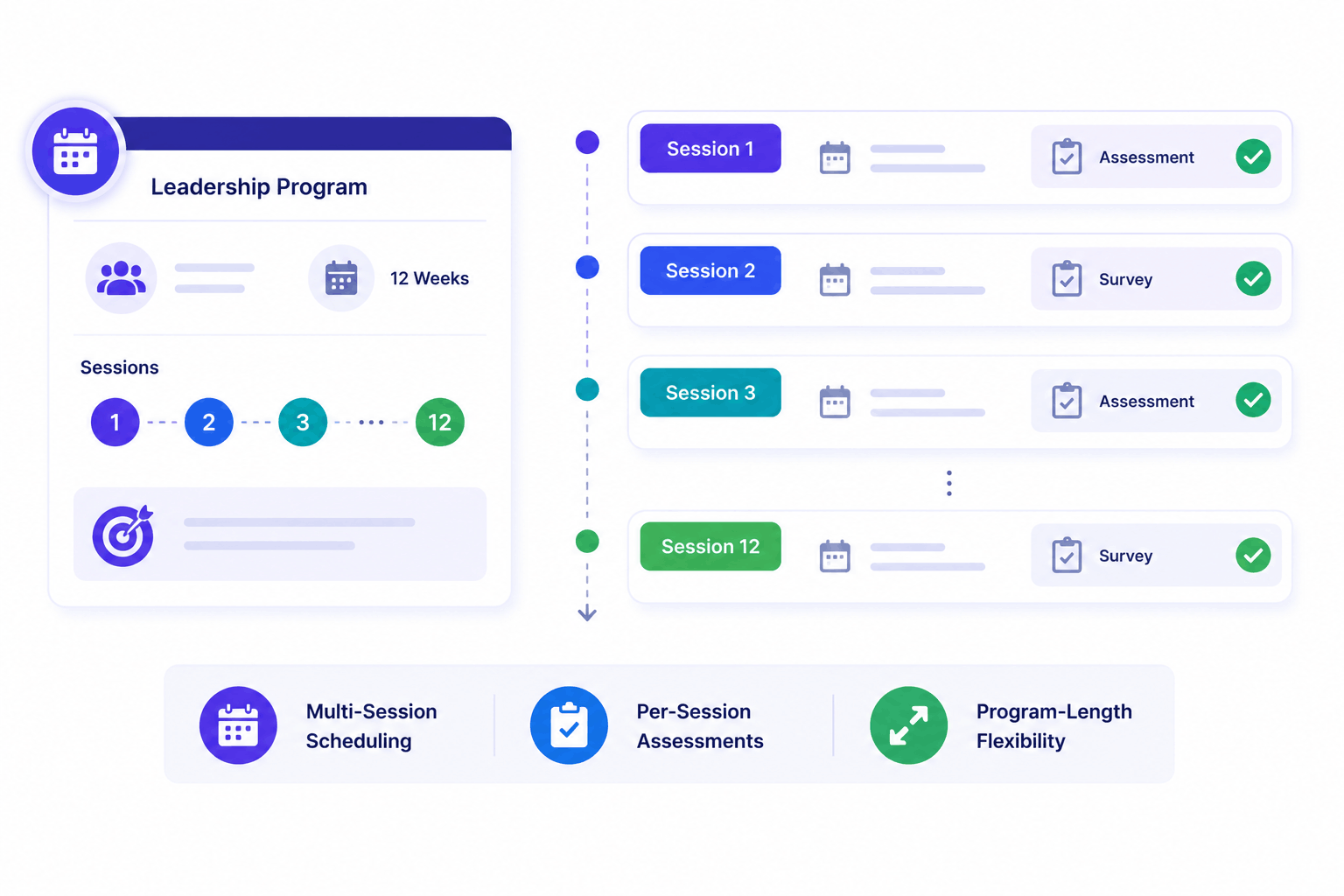
SimpliTrain lets you structure a single class across multiple sessions, spanning days, weeks, or months. Each session is scheduled independently within the class, so you can map out a 12-week leadership program the same way you’d set up a half-day workshop. Assessments and surveys can be placed at the end of any session, not just the final one.
- Multi-session scheduling
- Per-session assessments
- Program-length flexibility
Assign Instructors and Track Attendance in One Place
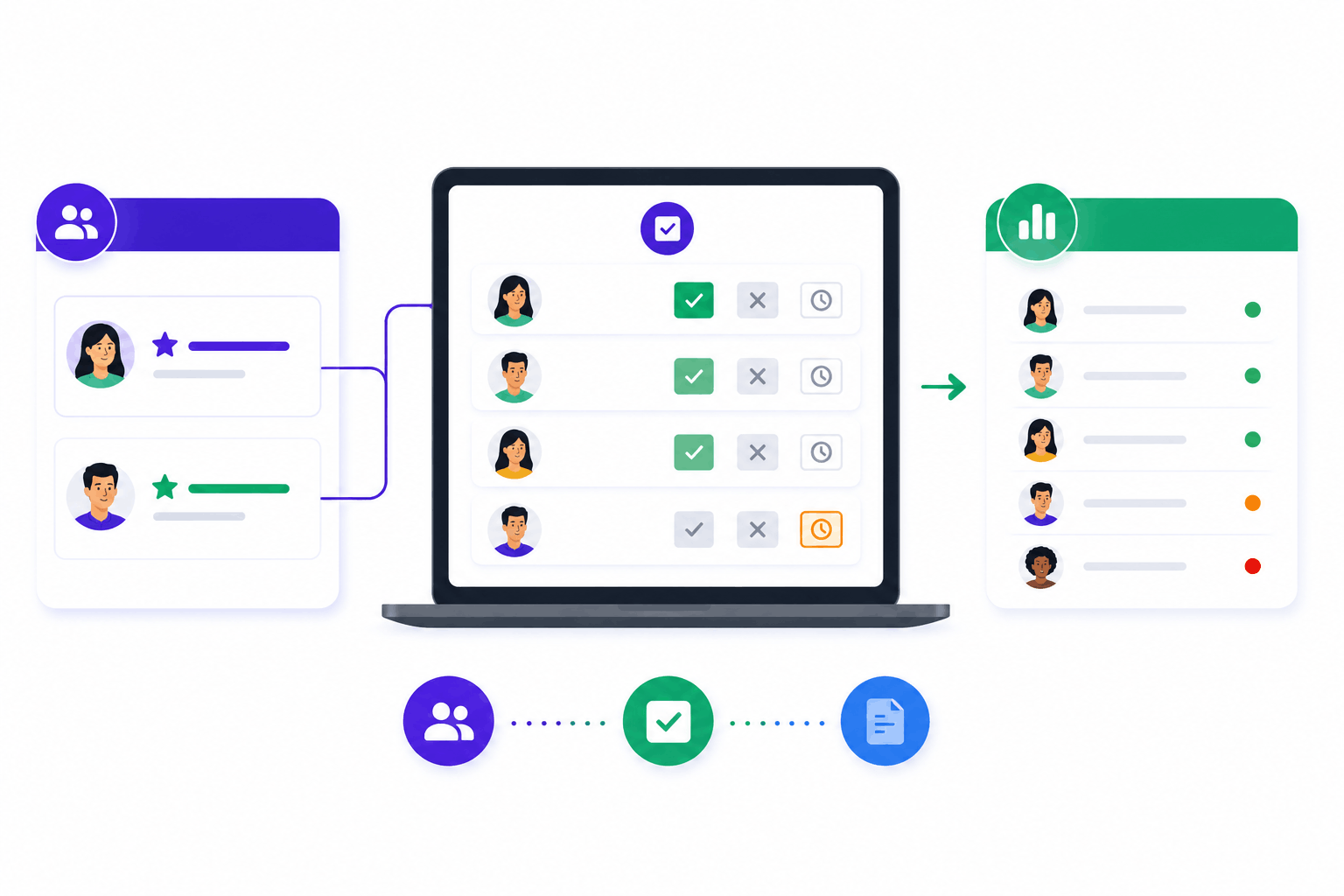
Every class in SimpliTrain supports a primary and secondary instructor assignment. Attendance is recorded directly by the instructor during or after the session, no separate spreadsheet, no manual reconciliation. You keep a clear record for every learner, every session.
- Primary and secondary instructors
- In-platform attendance recording
- Per-session learner records
Keep Learners Engaged Before, During, and After Class
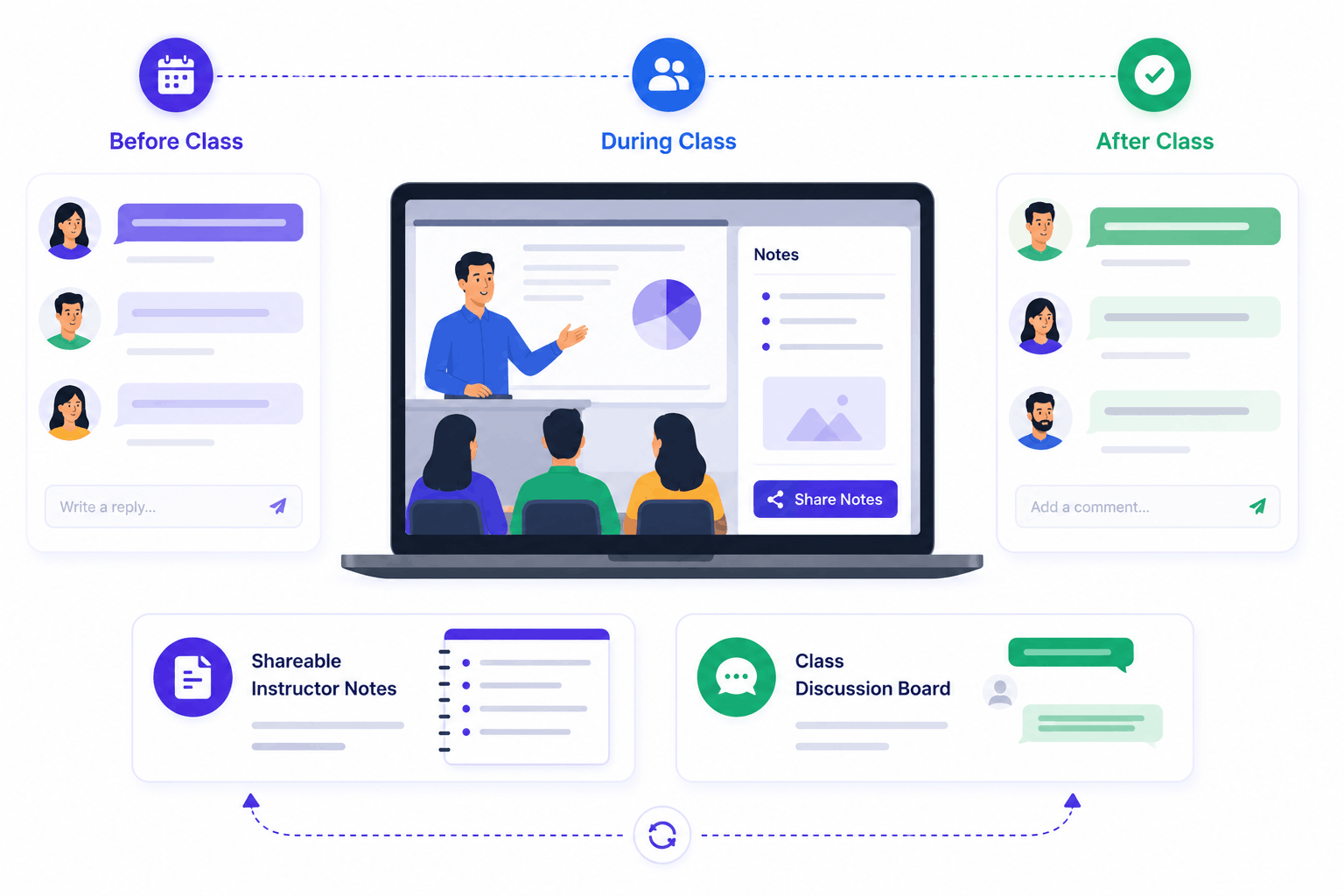
SimpliTrain gives instructors two tools that turn a class from a one-way event into an ongoing exchange. In-class notes let instructors capture and share key takeaways directly with enrolled learners, so nothing important gets lost after the session ends. The class-level discussion board stays active before the class begins, through every session, and after the last one closes. These aren’t administrative features — they’re how you keep the conversation going between sessions and reinforce what was covered in the room.
- Shareable instructor notes
- Class discussion board
- Pre- and post-class engagement
Start Running Better ILT Programs With
SimpliTrain Today!
Frequently Asked Questions
1. How do I get started with instructor-led training in SimpliTrain?
Start by creating a course, this is your content and curriculum structure. Once the course exists, you create a class on top of it, set the delivery mode, schedule your sessions, and assign an instructor. The whole setup takes a few minutes.
2. What types of instructor-led training does SimpliTrain support?
SimpliTrain supports both physical classroom and virtual instructor-led training natively. Classes can be single-session or multi-session, running from a single day to a months-long program. Assessments and surveys can be attached at the class or session level.
3. Does SimpliTrain integrate with video conferencing tools for virtual ILT?
SimpliTrain integrates with the tools your team already uses for live sessions. For a full list of supported integrations, visit the integrations page at simplitrain.com/integrations , or ask during your demo for specifics around your setup.
4. How does multi-session scheduling work for a class?
When creating a class, you add individual sessions within it each with its own date, time, and location or virtual link. Learners are enrolled at the class level and attend each session. Surveys or assessments can be placed at the end of any specific session, not just the last one.
5. What does SimpliTrain's pricing look like for ILT features?
SimpliTrain uses flat-rate pricing based on admin users, not per learner. Instructor-led training features are included in the platform, so you’re not paying per class, per session, or per enrolled learner. Details are at simplitrain.com/pricing.
6. What does the learner experience look like for instructor-led classes?
Learners see their enrolled classes, session schedules, and any pre-class materials in their dashboard. They can access the class discussion board, receive instructor notes after sessions, and complete any attached surveys or assessments, all in one place.
7. Is learner and training data secure on SimpliTrain?
SimpliTrain is built for enterprise-grade data security. Attendance records, class notes, assessment results, and enrollment data are stored on the platform with access controls at the admin and instructor level. Contact the SimpliTrain team for specifics on compliance certifications and data handling policies.
