
Headless AI Proctoring for Online Exams
Headless AI Proctoring for High-Stakes Online Exams
SimpliTrain delivers AI-powered proctoring that monitors every exam session automatically, with no browser plugin and no live human observer required. You get a detailed post-session report on learner behaviour so your admins can review flags at their own pace and make informed decisions about result validity.

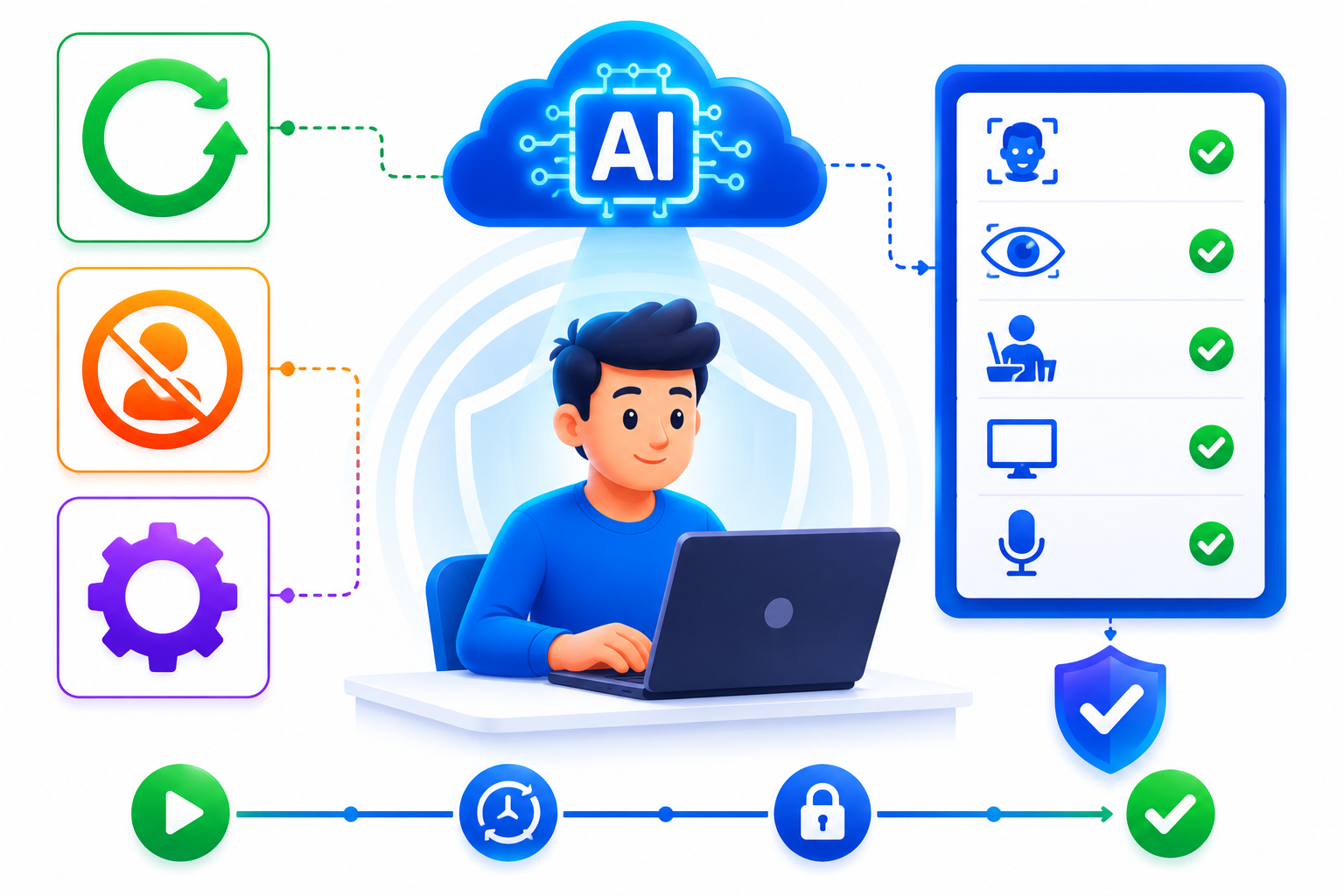
AI Monitors Every Session Without a Live Human Observer
SimpliTrain’s headless AI proctoring runs entirely via API during the exam session, with no human watching in real time. The AI captures and analyses behavioural signals continuously from the moment the learner starts until submission. This makes 24/7 exam availability possible without the scheduling and cost overhead of live proctoring. You deploy it at any scale, from a single cohort to thousands of concurrent sessions.
- 24/7 exam availability
- No live proctor required
- API-powered session monitoring
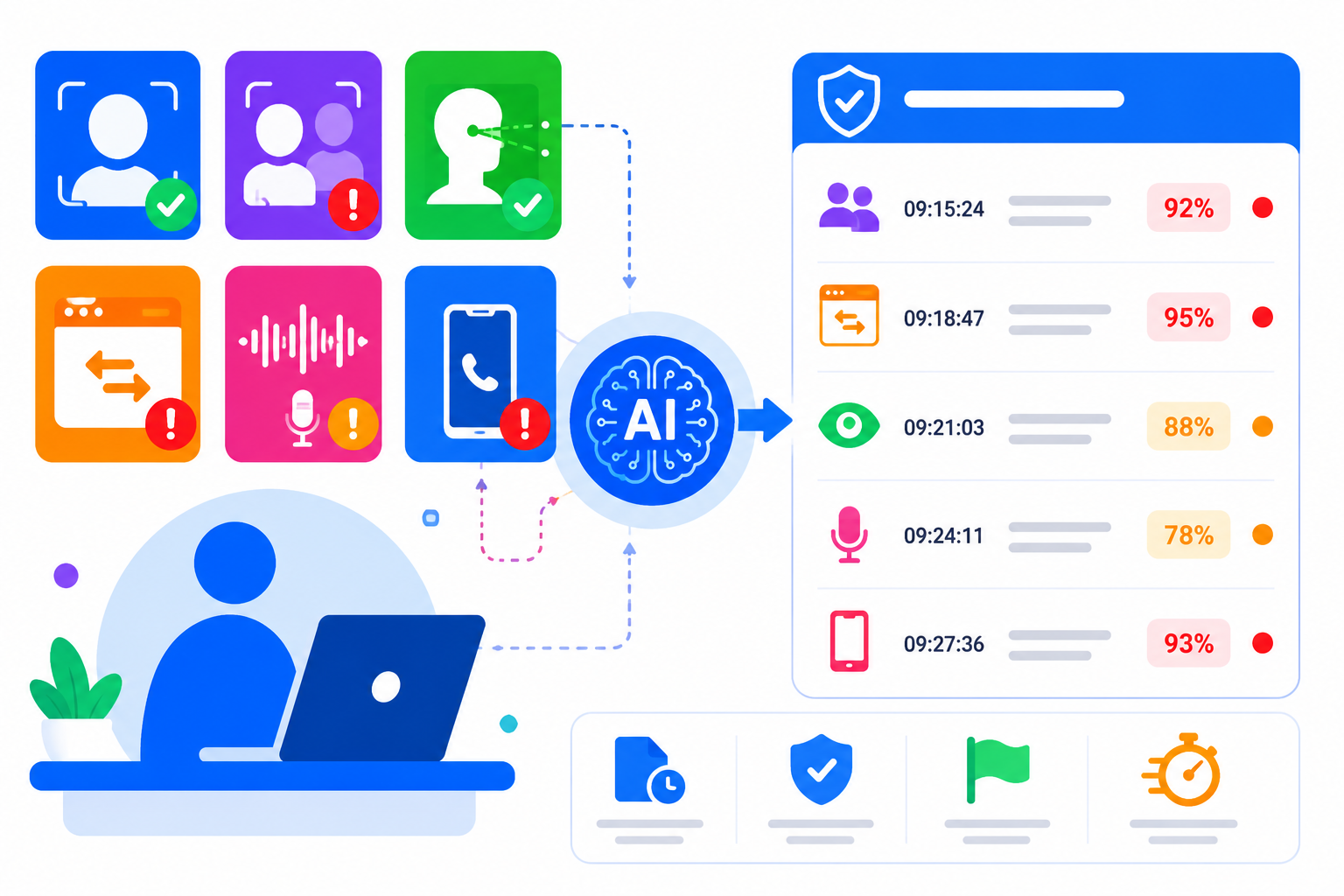
Behaviour Signals That Surface the Right Flags Automatically
SimpliTrain’s AI proctoring monitors a defined set of behavioural signals including face detection, multiple faces in frame, eye movement patterns, tab switching, background noise levels, and phone detection. Each signal is recorded with a timestamp and confidence score. Admins review a structured flag report after the session rather than watching full recordings. This makes the review process faster and more consistent across large exam cohorts.
- Face and gaze detection
- Tab switch and device alerts
- Timestamped flag reports
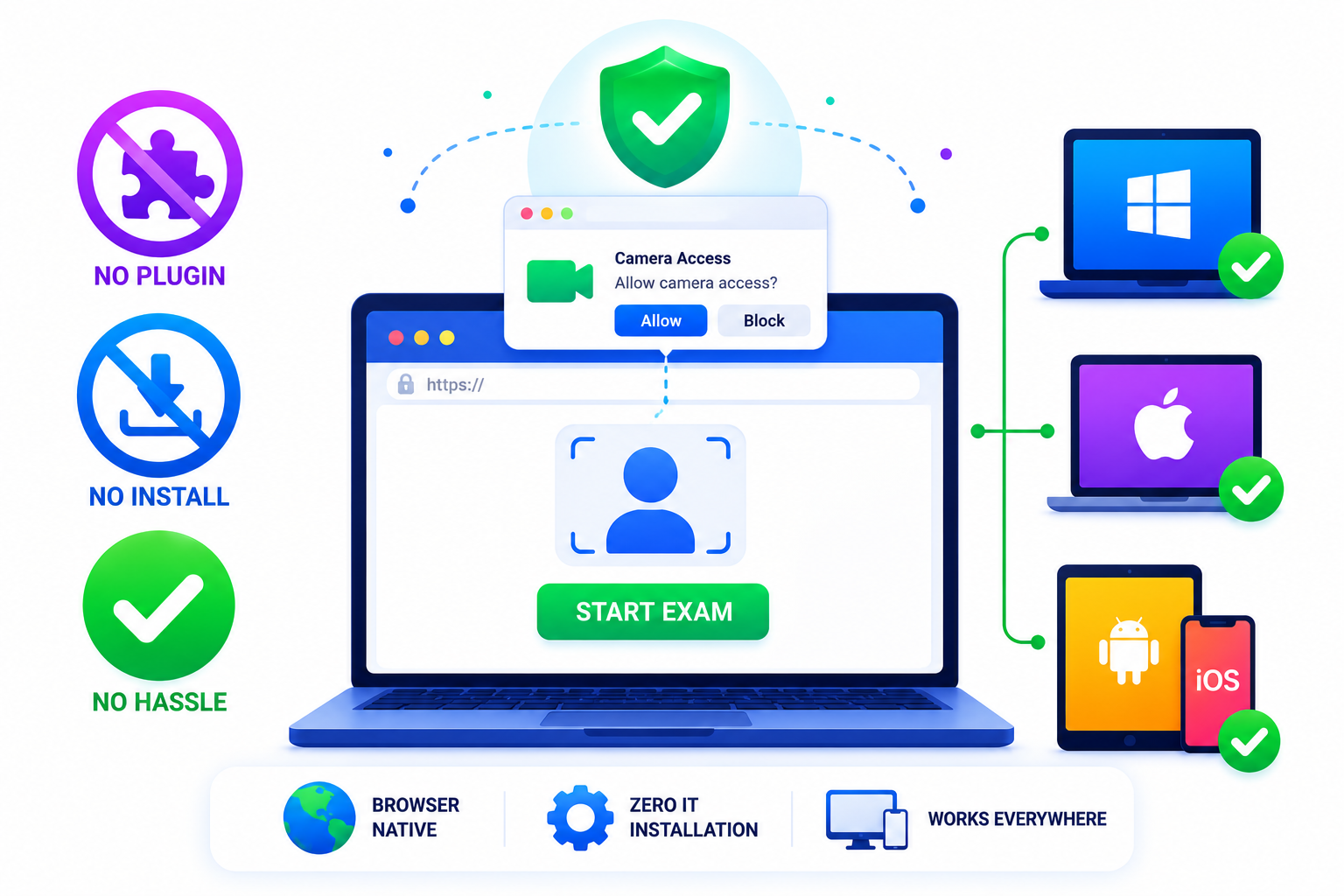
No Plugin Required — Simpler for Learners and IT Teams
SimpliTrain’s headless proctoring architecture requires no browser extension or software installation on the learner’s device. Camera access is requested through the standard browser permission prompt when the exam begins. This removes the most common friction point in deploying proctored exams to distributed or remote workforces.
- Browser-native camera access
- Zero IT installation required
- Works across devices and OS types
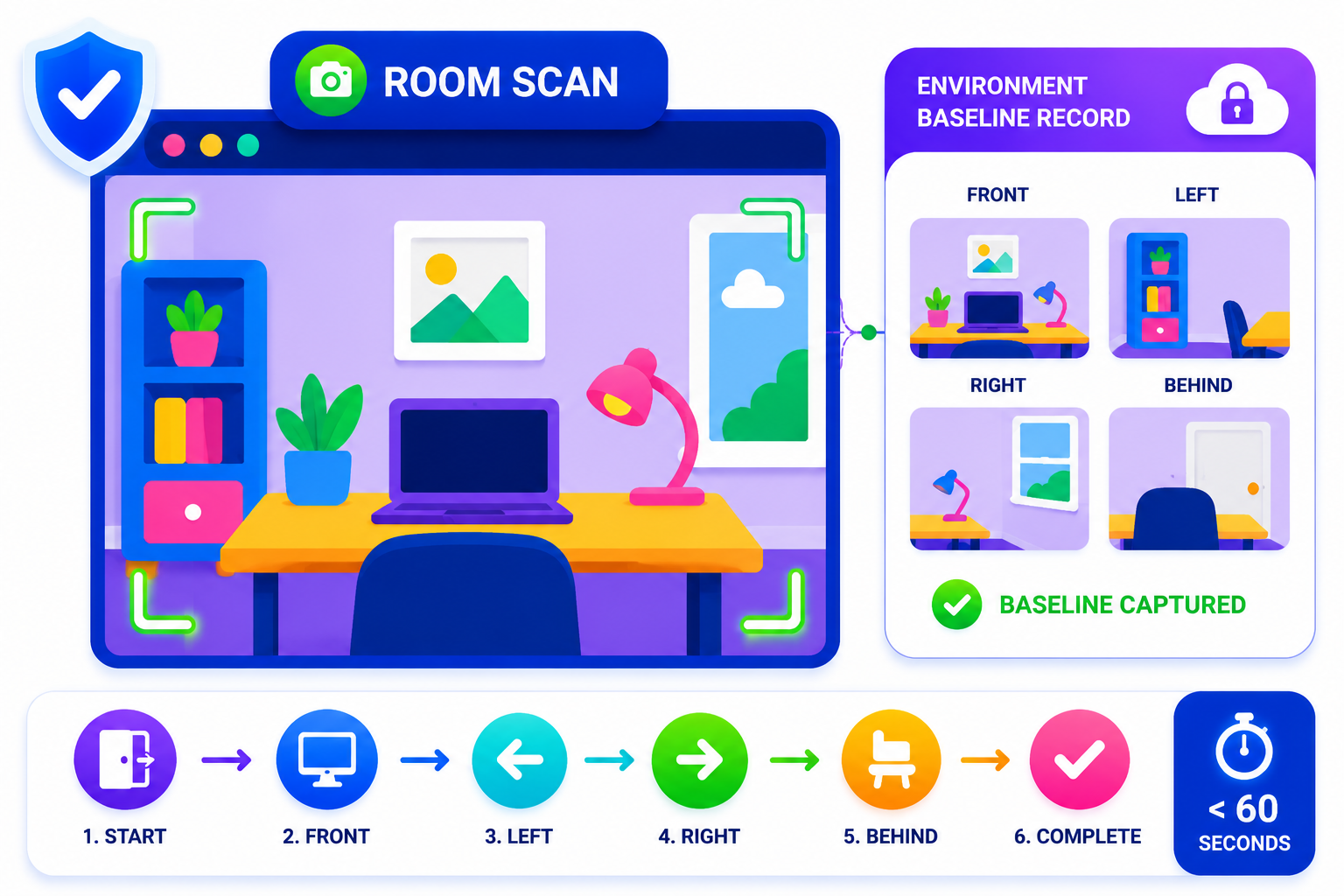
Room Scan at Start Establishes a Clean Baseline
SimpliTrain initiates a room scan at the start of every proctored session to document the test-taking environment before the exam begins. This creates a baseline record that supports any flag review conducted after the session. The room scan process is guided and takes under 60 seconds for the learner to complete.
- Pre-exam room scan
- Environment baseline record
- Guided scan flow for learners
Exam Results Analytics Tied to Learning Outcomes
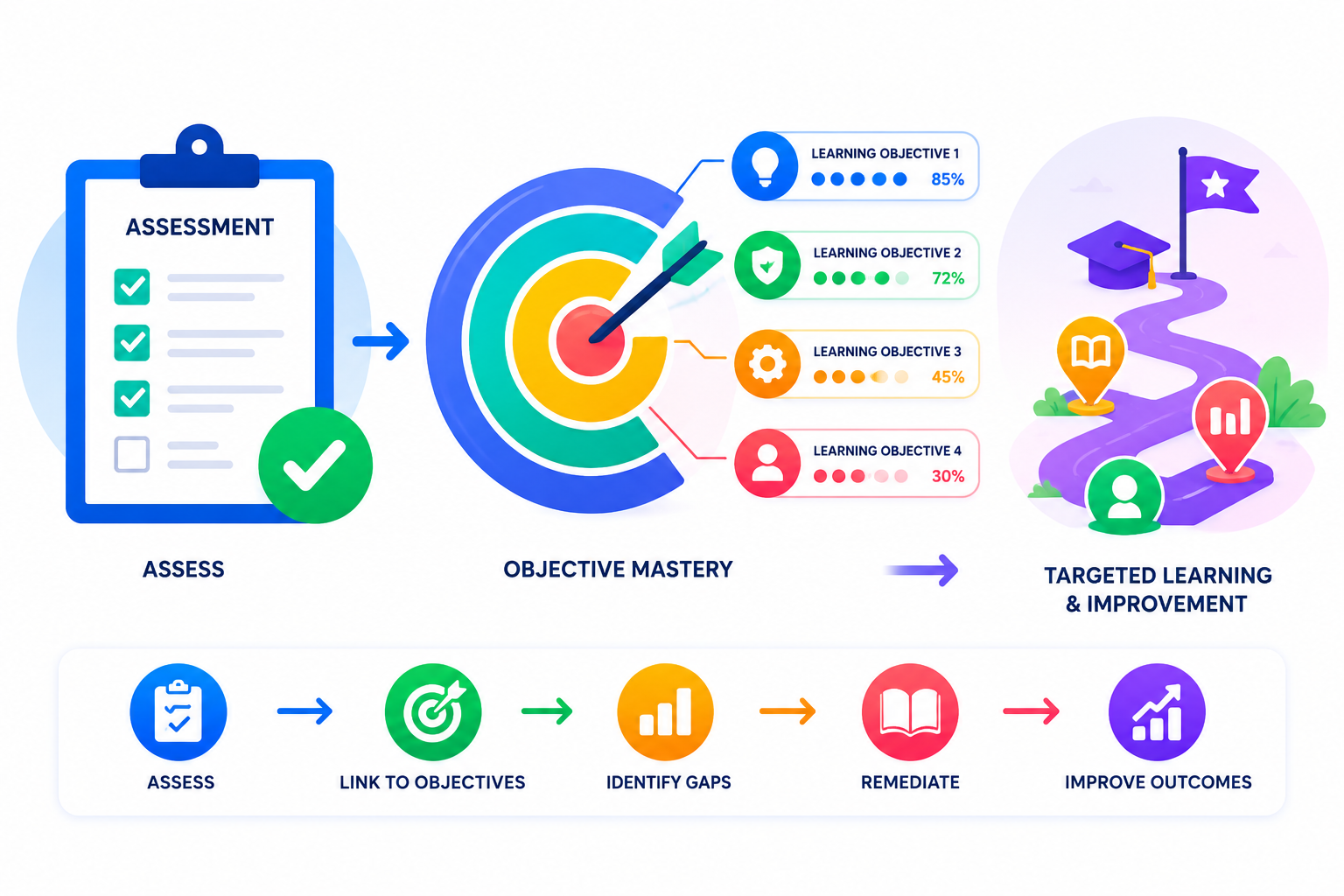
SimpliTrain connects every assessment result directly to the learning objectives it is designed to measure. You see pass rates, score distributions, and objective-level mastery in a single reporting view. Managers can filter results by team, department, or certification pathway to identify where remediation is needed. This closes the loop between evaluation data and learning program decisions.
- Objective-level mastery mapping
- Team and department filtering
- Remediation pathway triggers
Upload Your First SCORM Course Into
SimpliTrain Today!
Frequently Asked Questions
1. How do I get started with SimpliTrain's Agentic AI Evaluation?
You can sign up for a free SimpliTrain account and access the assessment builder immediately. The onboarding flow walks you through creating your first AI-evaluated exam in under 30 minutes. No implementation support is required for standard setups.
2. What types of assessments does SimpliTrain's AI evaluation support?
SimpliTrain supports multiple-choice, multi-select, open-ended written responses, scenario-based questions, and case study submissions. The Agentic AI Evaluation engine is designed specifically for formats that require contextual judgment. Fixed-format question types are also fully supported within the same exam.
3. Can SimpliTrain integrate with our existing LMS or HR systems?
SimpliTrain connects with major HRMS, LMS, and HRIS platforms via API and supports SCORM and xAPI standards. You can push assessment results and completion data to your existing systems without manual exports. Integration setup is handled through SimpliTrain’s configuration panel without developer support in most cases.
4. How does the adaptive questioning feature decide when to escalate difficulty?
SimpliTrain’s adaptive engine uses item response theory logic to calculate a running ability estimate after each answer. When that estimate crosses a defined threshold, the system pulls a question from the next difficulty tier. You set the thresholds and the question pool structure during exam configuration.
5. Which SimpliTrain plan includes Agentic AI Evaluation?
Agentic AI Evaluation is available on SimpliTrain’s Growth and Enterprise plans. You can review plan-level feature access on the SimpliTrain pricing page or request a demo to see it applied to your specific use case. Free trial access includes a limited evaluation quota for testing purposes.
6. What does the exam experience look like for learners?
Learners access exams through their SimpliTrain dashboard on any device, including mobile. The interface is clean, timed where configured, and does not expose AI scoring logic to the test-taker. They receive results and feedback immediately after submission based on your configured disclosure settings.
7. How does SimpliTrain protect learner data and exam integrity?
SimpliTrain stores all assessment data on encrypted infrastructure with role-based access controls. Exam content, learner responses, and AI evaluation outputs are never used to train external models. You retain full data ownership and can export or delete records at any time in line with your data governance requirements.
